
Overview
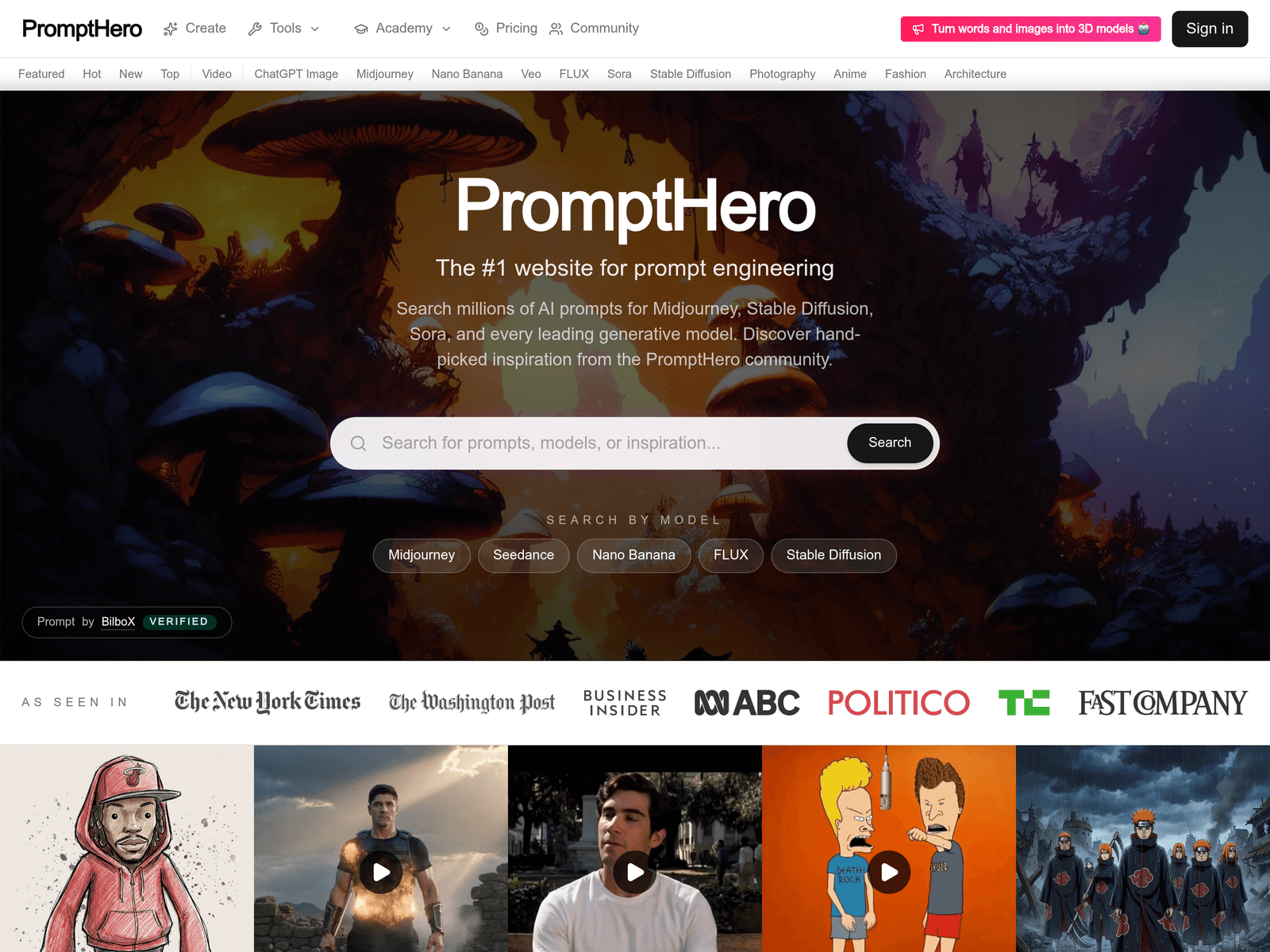
PromptHero organizes prompt examples around models, categories, and community submissions. It is useful for users who need starting points for generative AI images or videos, and for those who want to compare how prompts are written for different models. The homepage surfaces Featured, Hot, New, and Top views, along with model-specific entries such as Midjourney, Seedance, Nano Banana, FLUX, Stable Diffusion, Sora, Veo, Kling, and MiniMax H3.
Key Uses
- Find prompts for AI image generation: Users can search and browse prompts associated with Midjourney, Stable Diffusion, FLUX, and other image models, which can reduce the time spent writing a prompt from scratch.
- Find prompts for AI video generation: The site includes Video-related entries and shows model names such as Sora, Veo, Kling, MiniMax H3, and P-Video-Replace, making it relevant for video prompt research.
- Filter by model: PromptHero provides model-based navigation, so users can look for examples tied to the specific generative model they are using instead of reading generic prompt lists.
- Review community-selected examples: The platform presents hand-picked inspiration from the PromptHero community, including Featured, Hot, New, and Top browsing paths for discovering recent or popular entries.
- Study prompt structure and visual direction: Some examples include detailed composition notes, character placement, mood constraints, and style controls, which can help users learn how to describe complex scenes.
- Explore category-based inspiration: Categories such as Photography, Anime, Fashion, and Architecture help users narrow their search when they need references for a particular visual domain.
Who It Is For
- Beginners in AI image generation: Users who are still learning how to describe subject, style, lighting, and composition can use existing prompts as practical references.
- Creators comparing multiple models: People working across Midjourney, Stable Diffusion, FLUX, or video models can observe how prompt examples are grouped by model and adapt them accordingly.
- AI video experimenters: Users exploring Sora, Veo, Kling, or other video generation tools can review how others frame motion, scene setup, and visual tone.
- Designers and concept artists: Photography, anime, fashion, and architecture categories can support mood boards, style tests, and early concept development.
- Prompt engineering learners: Users who want to improve prompt writing can study longer examples that include explicit scene hierarchy, focal points, and exclusion instructions.
Tips for Best Results
- Start with the model filter: Choose the model you are actually using before browsing examples, because prompt syntax and effective detail levels can differ between Midjourney, Stable Diffusion, FLUX, and video models.
- Adapt prompts instead of copying them: A detailed example may be built for a very specific scene. Keep your own subject, style, and output goal, then borrow the structure rather than every word.
- Pay attention to exclusion language: Some prompts specify what should not appear or what emotion should be avoided. This kind of constraint can be useful when trying to control composition and tone.
- Use Featured, Hot, New, and Top views differently: Featured and Top can show polished examples, while New may reveal recent trends. Hot can help identify what is currently receiving attention.
- Treat examples as drafts: PromptHero is best used as a source of inspiration and structure. Final prompts should still be adjusted for the exact model version, aspect ratio, and creative intent.
Limitations
- Results depend on the target model: A prompt that works well in one model or version may produce a different result elsewhere, so examples should not be assumed to reproduce identical outputs.
- Community content may vary: Since the platform includes community-driven examples, prompt quality, completeness, and reproducibility can differ from one entry to another.
- Account and pricing details require confirmation: The homepage shows Try PromptHero for free and a Pricing entry, but the exact free scope, account features, and paid options should be checked on the official site.
- Long prompts are not always necessary: Some examples use extensive composition and character instructions, but simpler image tasks may benefit from shorter and more direct prompts.
Frequently Asked Questions
How do I start using PromptHero?
Visit the PromptHero website and browse by model, category, or featured sections. The homepage includes entries for Midjourney, Stable Diffusion, FLUX, Sora, Video, ChatGPT, and Image. After selecting an example, review its prompt and rewrite it for your own subject and output goal.
Is PromptHero free to use?
The homepage includes a Try PromptHero for free option and a Pricing page, indicating that there is a free entry point. However, the exact free limits, account features, and paid plans should be confirmed on the official website because those details are not fully listed on the homepage.
Which models does PromptHero support?
The site shows model-related entries for Midjourney, Stable Diffusion, FLUX, Sora, Veo, Kling, MiniMax H3, Nano Banana, and Seedance. It also includes broader categories such as Video, ChatGPT, and Image, along with visual categories like Photography, Anime, Fashion, and Architecture.
How is PromptHero different from a prompt generator?
PromptHero is primarily a prompt search and discovery platform rather than a tool that only rewrites or generates prompts automatically. Its value comes from showing examples tied to different models and creative categories. Users still need to adapt the prompts to their own workflow and model settings.
What are some alternatives to PromptHero?
Users can consult official model galleries, community showcases, or documentation from Midjourney, Stable Diffusion, and video generation platforms. Other prompt libraries and workflow tools may suit teams that need prompt management or collaboration. PromptHero is distinguished by its multi-model prompt search and community-selected examples.