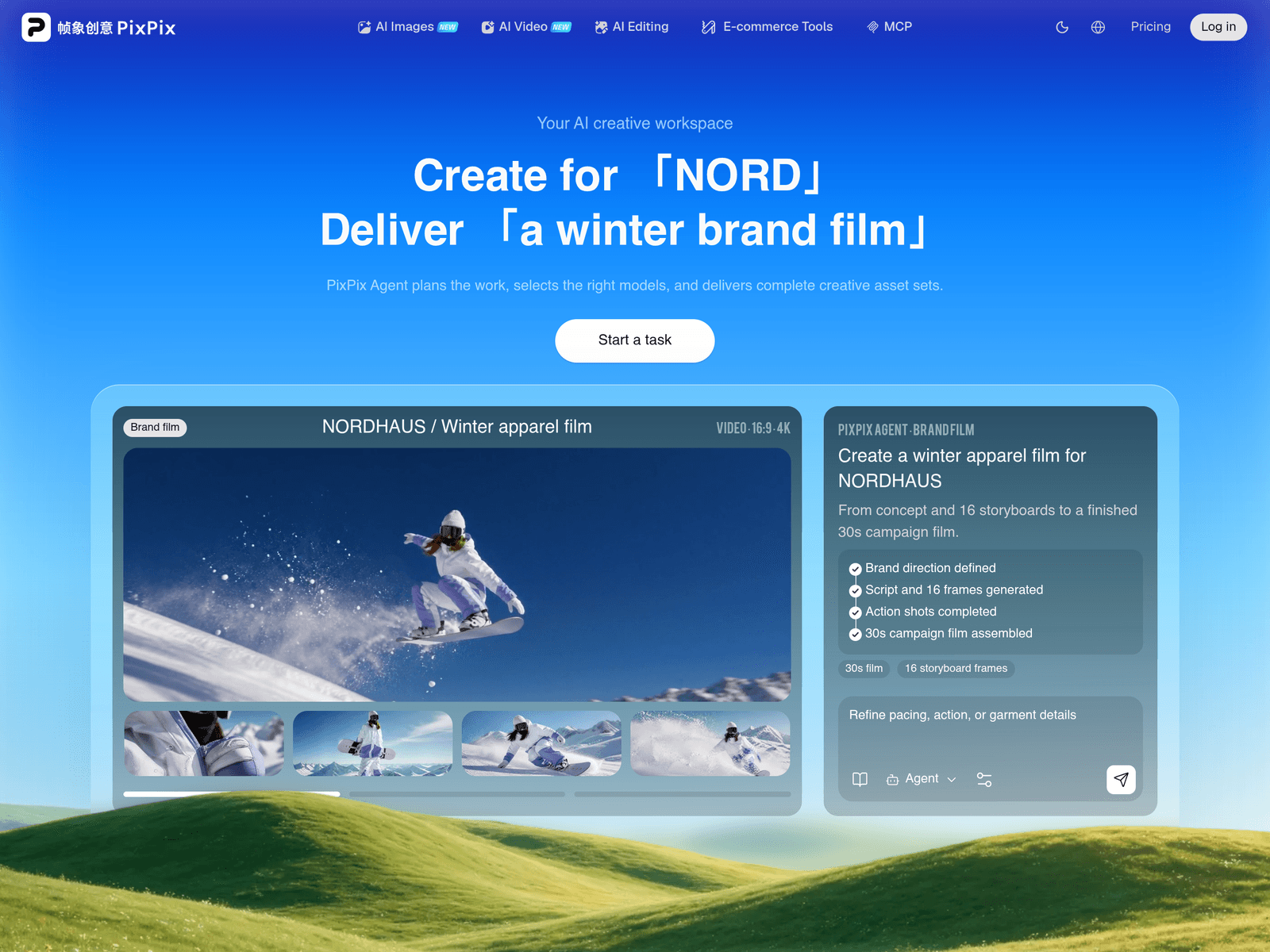
Overview
- Tool name: PixPix
- Official website: https://pixpix.cgref.cn/s/1zn5j0mkqm
- Category: AI Image & Video Tools
PixPix is an AI-powered design platform built specifically for e-commerce sellers and brand teams. By uploading product photos or entering creative concepts, users can generate main images, scene shots, A+ content, and short videos for Amazon, Temu, AliExpress, and independent online stores to streamline visual marketing.
Key Uses
- AI Cutout and Retouching: Provides intelligent subject cutout and precise product retouching to remove cluttered backgrounds while keeping product edges clean and natural.
- Main Image and Scene Generation: Generates diverse styles and lifestyle scene shots based on uploaded product assets, suitable for categories like apparel and consumer electronics.
- A+ Content and Detail Page Creation: Assists merchants in rapidly building multi-section product detail pages and A+ marketing layouts without manual graphic design.
- Multi-Model Short Video Creation: Aggregates top AI models to allow users to generate viral short videos, brand commercials, and social media clips from a single idea.
- AI Model Try-On: Generates virtual apparel try-on effects to help fashion sellers reduce physical sample and model photography costs.
- Multilingual Copywriting: Pairs visual assets with generated multilingual marketing text to support cross-border e-commerce expansion in diverse overseas regions.
Who It Is For
- Cross-Border E-Commerce Sellers: Merchants managing listings across Amazon, Temu, AliExpress, and independent stores who need compliant, high-conversion product images.
- DTC Brand Owners: Independent store brands looking to produce cinematic brand films and social media shorts with efficient, continuous visual production.
- Apparel and Fashion Teams: Fashion brands that need rapid seasonal apparel sets, model try-on images, and winter campaign films without extensive studio setups.
- Marketing and Creative Teams: Marketing professionals who need to continuously output short videos, social media ads, and visual assets under tight deadlines.
Tips for Best Results
- Upload High-Quality Base Photos: Use clear, well-lit product photos with distinct edges to help the AI perform more accurate cutouts and realistic scene blending.
- Refine Details Step-by-Step: When generating videos or complex scenes, use the Agent to break down tasks, adjust pacing, lighting, or fabric textures progressively.
- Define Style and Mood Preferences: Specify clear style elements such as color palettes, modern retro lighting, or textures when entering ideas to guide the AI toward expected results.
- Reuse Visual Insights: Treat generated visual assets and design parameters as a foundation for subsequent creations to maintain visual coherence across all marketing channels.
Limitations
- Complex Motion Constraints: Generating longer videos or intricate narrative short films may still require manual review and pacing adjustments to ensure absolute continuity.
- Dependency on Base Asset Quality: If the uploaded product photo has low resolution or extreme angles, the resulting scene shots may require additional retouching.
- Model Output Variance: Because the platform aggregates multiple top-tier AI models, rendering styles and material textures can vary depending on the chosen model.
Frequently Asked Questions
What e-commerce platforms does PixPix support?
PixPix is tailored for Amazon, Temu, AliExpress, and independent store sellers, helping them produce main images, scene shots, and A+ content that meet online retail standards.
How do I get started with PixPix?
Users can access the tool online through the official website without setting up complex workflows. Simply choose a tool, upload your assets or type an idea, and let the platform handle production.
Do I need professional design skills to use PixPix?
No. The platform is designed for sellers and marketing teams without design backgrounds, allowing them to rely on AI tools and agents for professional visual production.
How does the PixPix Agent assist in creation?
PixPix Agent helps plan work, selects the right underlying capabilities, and collaborates through task breakdown, storyboard generation, and final fine-tuning across the workspace.
What kinds of videos can be created on PixPix?
Users can generate a wide variety of video formats, ranging from portrait shorts and social media clips to brand commercials, cinematic fantasy pieces, and game trailers.