
Overview
- Tool name: SkildArt
- Official website: https://skildart.cgref.cn/s/2znr5yokr7
- Category: AI Image Tools
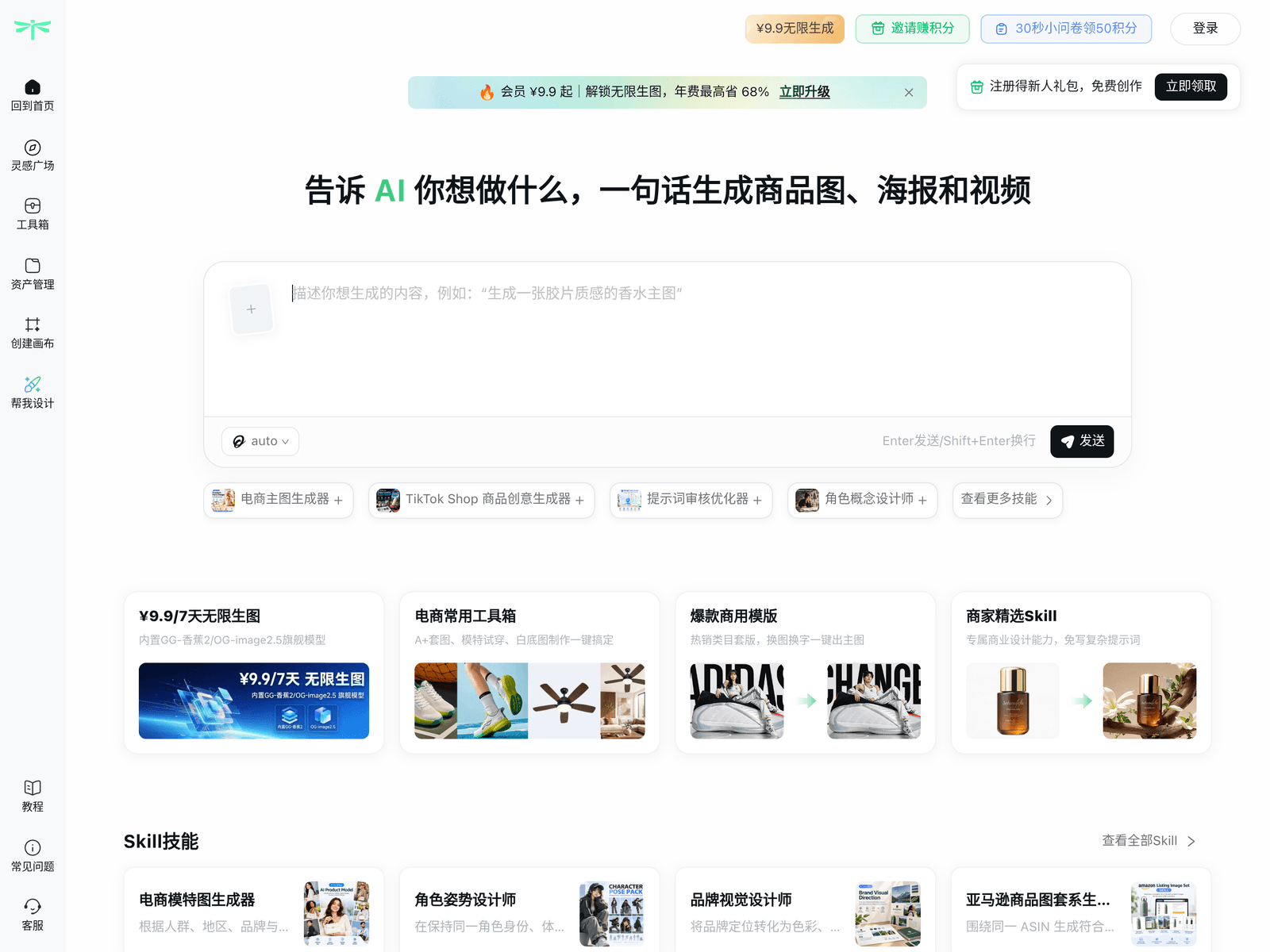
SkildArt is an AI image tool built for e-commerce visuals. It offers a smart canvas, product image generation and poster design. SkildArt targets stores that need campaign-ready product visuals.
Key Uses
- Product image generation: turn a clean shot of an item into a display image suitable for a main listing image or a product detail page.
- Marketing poster creation: lay out a promotional poster with the campaign theme, the product and its key selling points in one frame.
- Smart canvas composition: combine generated images, assets and copy on a canvas, adjusting proportions and spacing until the layout is ready to use.
- Filling gaps in a catalogue: produce usable visuals for SKUs with missing or inconsistent images so a listing can go live sooner.
- Comparing directions: generate several versions of the same product, pick one as a team, then hand it to a designer for refinement.
Who It Is For
- Sellers running their own storefronts: teams that need main images and detail page visuals on a regular cadence.
- Small teams without a dedicated designer: solo sellers or teams of a few people producing their own visuals instead of waiting on an external studio.
- Campaign and promotion owners: people who need a batch of promotional posters around a sale or a seasonal event.
- Stores operating across regions: sellers adapting copy and layout for different markets from the same set of product assets.
Tips for Best Results
- Prepare the product asset first: start from a clean, well-lit photo of the item; the tidier the subject, the easier the rest of the frame is to control.
- Decide the destination before the size: know whether the output is a main image, a detail page module or a poster, so you are not re-cropping later.
- Keep poster copy short: compress the offer into one headline plus a little supporting text, then proofread every character after generation.
- Check generated products against the real item: confirm colour, material, included accessories and texture by eye; anything that does not match should not go live.
- Record a house style: note the colours, type and layout your store reuses so that new products stay visually consistent.
Limitations
- Limited public documentation: the available description covers the smart canvas, product image generation and poster creation; details such as underlying models, output resolution and export formats should be confirmed on the official page.
- Pricing and free access unclear: whether a free trial or free quota exists, and how billing works, is not stated in public material, so check the official page before committing.
- Platform and API support unconfirmed: supported browsers or operating systems, and whether an API is offered, are not described publicly; teams planning to plug it into a workflow should ask first.
- Generated images need review: AI output can differ from the physical product, and publishing an inaccurate image carries a real risk for buyers.
- Commercial terms to verify: the permitted use of uploaded assets and generated images, and the licence for commercial use, should be read in the official terms.
Frequently Asked Questions
How do I get started with SkildArt?
The official site leads to a workbench page where you can begin. Whether a separate account or an onboarding flow is required is not spelled out publicly, so check the official page for the current steps. It is worth trying a single product first before processing a whole catalogue.
Is SkildArt free, and is there a free quota?
Public material does not state pricing, a free tier or a trial, so a free version cannot be confirmed. Whether billing is per image, per seat or by subscription needs to be checked on the official page. Test with a small number of products until the cost rules are clear.
Which platforms and languages does SkildArt support?
The description focuses on e-commerce visual work and does not list supported operating systems, browsers or interface languages. Confirm on the official site whether a desktop client exists or whether the interface goes beyond Chinese. Teams needing shared access should also check how accounts and permissions work.
How is SkildArt different from general AI image generators?
SkildArt is positioned around e-commerce and commercial marketing, with the smart canvas, product image generation and posters aimed at visuals that can go straight into a listing. General image generators leave more room for free-form style exploration, but layout and product information usually have to be handled elsewhere. The two can work together: explore a look in a generator, then assemble the listing image here.
Are there alternatives to SkildArt?
For a handful of product images, a general image generator plus ready-made design templates can do the job. For larger catalogues, a tool built around e-commerce visuals is usually a better fit. When comparing, look at batch handling, export formats and commercial licensing terms, and rely on each vendor's official page.