
Overview
- Tool name: Meitu Design Studio
- Developer: Meitu, Inc.
- Official website: https://www.designkit.cn/?channel=10026
- Category: AI Design
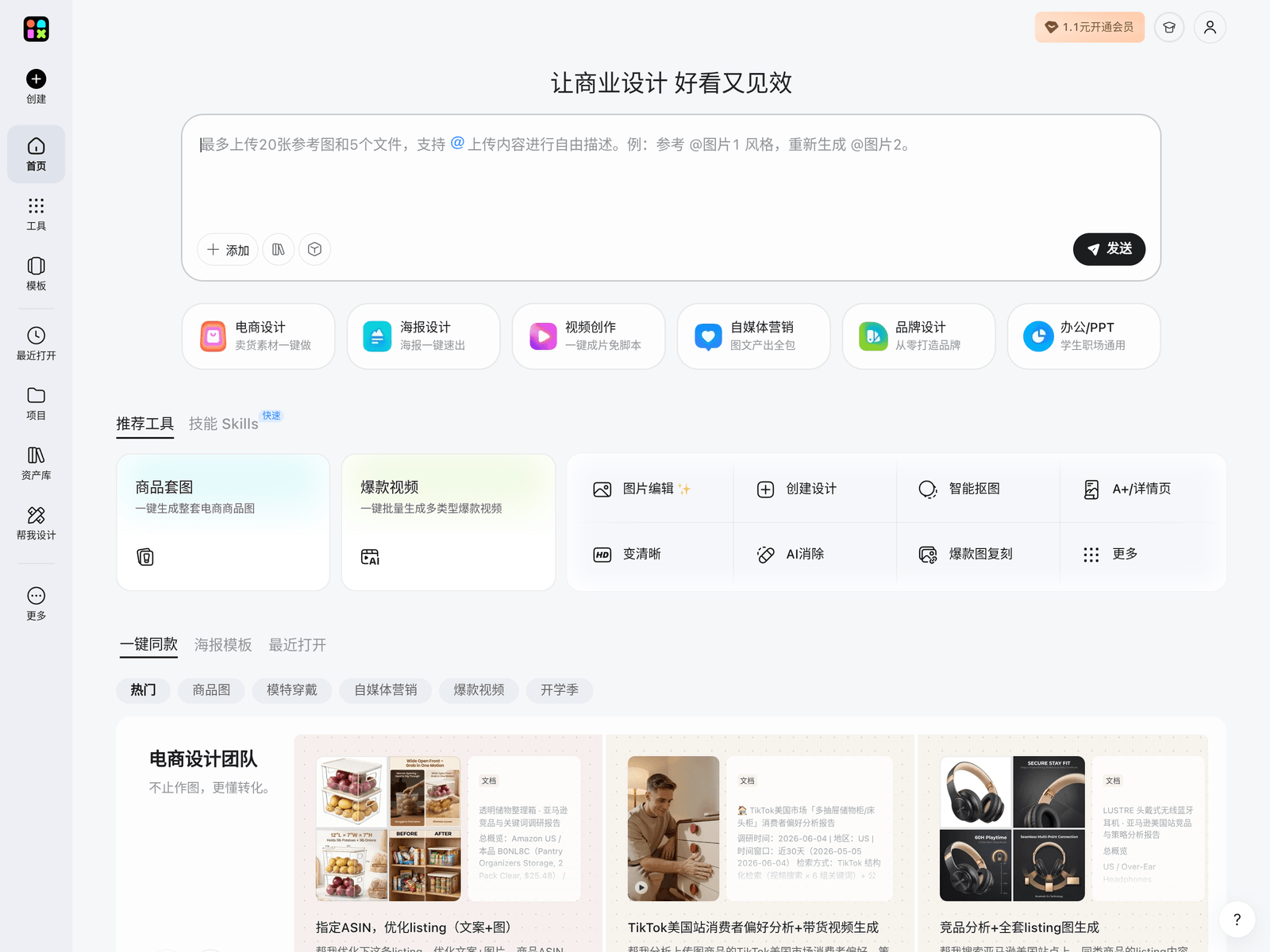
Meitu Design Studio is a browser-based AI image creation and design platform from Meitu, Inc. It combines AI generation, smart cutout, and template-driven layout tools so that people without a design background can produce posters, product visuals, and social media graphics. It is aimed at everyday marketing and content needs rather than professional print production.
Key Uses
- AI image generation and editing: Create images from text prompts or reference images, and apply smart retouching, outpainting, or object removal to existing photos.
- Smart cutout and background replacement: Automatically isolate people or products and swap in new backgrounds for composite scenes.
- Template-based design: Start from pre-built layouts in various sizes and styles, then replace text and images to produce finished assets.
- E-commerce and marketing assets: Produce product hero images, promotional banners, and campaign posters.
- Team collaboration and asset management: Some plans support multi-user collaboration and brand asset libraries to keep visual styles consistent.
Who It Is For
- E-commerce sellers: Quickly generate multiple versions of product images, detail-page visuals, and campaign banners.
- Social media content creators: Make covers and graphics for platforms such as Instagram, TikTok, and blogs.
- Small businesses and solo founders: Handle day-to-day promotional materials without hiring a dedicated designer.
- Marketing and events teams: Produce drafts fast when campaign timelines are tight.
- Educators and trainers: Create course illustrations and promotional graphics for non-professional design needs.
Tips for Best Results
- Define size and purpose first: Different platforms require different aspect ratios and resolutions; confirm output specs before you start to avoid rework.
- Use templates, then layer AI on top: Build the layout from a template first, then use AI to generate or replace individual elements. This is usually more controllable than generating everything from scratch.
- Keep layers editable: If the platform supports layered editing, keep text and images on separate layers so revisions stay easy.
- Maintain brand consistency: When working in a team, agree on fonts, colors, and logo usage so assets do not look disjointed.
- Review details before export: AI output can contain garbled text or unnatural edges; check each element before downloading.
Limitations
- Inconsistent AI results: The same prompt can produce noticeably different outputs across runs, so expect to iterate or retouch manually.
- Commercial licensing must be verified: The commercial-use scope of templates, fonts, and AI-generated content depends on the platform's terms; check the latest agreement before using assets in commercial projects.
- Limited for complex design work: For highly customized brand design, precise typography, or print-ready files, professional design software remains more suitable.
- Free vs. paid feature gaps: Some advanced features, assets, or export options may require payment; refer to the official site for current details.
- Data and privacy: When uploading images containing people or sensitive information, review the platform's privacy policy and data handling practices.
Frequently Asked Questions
Is Meitu Design Studio free to use?
Meitu Design Studio generally offers a free way to get started, but some advanced features, assets, or export options may require a paid subscription. Free quotas and pricing plans change over time, so check the official website for the current details.
What platforms does Meitu Design Studio support?
It is primarily a web-based tool that runs in a browser, so no professional software installation is required. For the latest information on mobile apps or desktop clients, refer to the official website.
Can I use images created with Meitu Design Studio commercially?
Commercial use depends on the platform's terms of service and the specific licenses of any templates, fonts, or assets you use. Before using output in a commercial project, read the official licensing information and contact the vendor if anything is unclear.
How is Meitu Design Studio different from Photoshop?
Meitu Design Studio focuses on template-driven, AI-assisted speed, which suits non-designers and everyday marketing assets. Photoshop and similar tools offer finer control, stronger layer management, and print-grade output. Many users combine both depending on the task.
Does Meitu Design Studio have an API?
Public information does not clearly indicate an open API. If you need to integrate these capabilities into your own systems, check the official website or contact the vendor directly for accurate details.