
Overview
- Tool name: WonderCV
- Developer: WonderCV
- Official website: https://wondercv.cgref.cn/s/2znr5wokr7
- Category: AI Productivity
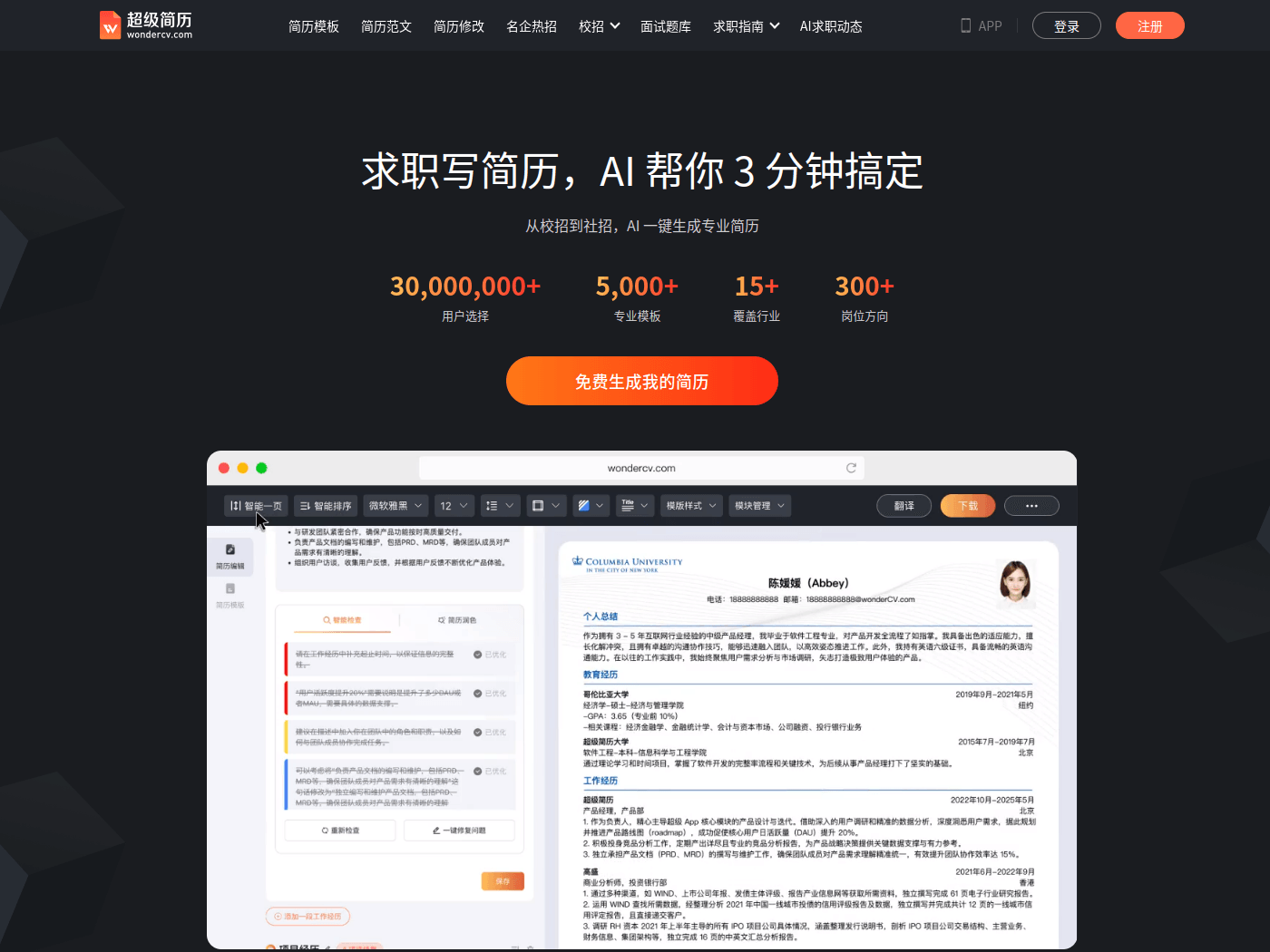
WonderCV is an AI resume builder for job seekers and new graduates. WonderCV drafts resume content from a job description and refines the wording.
Key Uses
- AI resume drafting: turn a target job description and your own background into a first draft, then rewrite each section with real details.
- Wording and keyword optimization: match phrasing against a 1.6-million-character industry corpus and check how well job keywords are covered.
- Automated proofreading: review the document against 20 common resume problems from an HR perspective and get suggested fixes.
- Template and layout selection: pick from 5,000+ templates covering 15+ industries and 300+ role directions, with formatting handled for you.
- Chinese and English resumes: build the document in either language and export it to PDF when it is ready.
- Cross-device editing: the mini program, iOS, Android and HarmonyOS apps keep resume data synced in the cloud.
Who It Is For
- Students and interns applying through campus recruiting, who need a first resume built quickly from limited work experience.
- Professionals with 1-3 or 3-5 years of experience who are preparing a job change and want to rewrite project and achievement descriptions.
- Applicants who need an English-language resume for study-abroad applications or roles at international employers.
- Career switchers moving between industries, who can start from a template in the target field and reframe transferable experience.
Tips for Best Results
- Paste the actual job posting before generating: the closer the input is to the employer's wording, the more relevant the suggested phrasing tends to be.
- Verify every generated line: dates, team sizes and results are not known to the tool and must be confirmed by you before sending.
- Keep the layout simple when applying through an applicant tracking system; the platform offers ATS compatibility calibration to help with this.
- Maintain one master copy and edit duplicates for each application, so your main version is never overwritten by small tweaks.
Limitations
- Generated text is a draft: the tool organizes what you supply and cannot confirm whether a claim is accurate, so fact-checking stays with the applicant.
- Some capabilities sit behind a paid membership. Which templates or features are included, and what they cost, is shown on the official page.
- Job listings, campus recruiting information and mentor services are oriented toward the Chinese job market; coverage for other regions should be checked on the page.
Frequently Asked Questions
How do I start my first resume in WonderCV?
Sign in on the website or the app, pick a template close to your target role, and fill in education, internships and projects. You can also paste a job description to generate a draft, replace each section with your own facts, and export to PDF.
Is WonderCV free to use?
Free template downloads and free resume generation are offered, so the basic flow can be tried before paying. The site also lists a paid membership, which suggests some features require it; check the official page for what is included and how much it costs.
Which platforms are supported, and do resumes sync across devices?
Beyond the web version, WonderCV runs as a mini program plus iOS, Android and HarmonyOS apps, with resume data stored in the cloud. Edits made on a phone appear after signing in on another device.
How is it different from a plain resume template site?
Template libraries mainly solve formatting, leaving the writing to you. WonderCV adds AI drafting, wording refinement, keyword density checks and ATS compatibility calibration, plus proofreading against common resume mistakes from an HR perspective.
Can I send a generated resume without editing it?
It is better not to. Generated wording is based only on what you provide and can read as generic, so add concrete projects, numbers and outcomes, then check keyword coverage and confirm the PDF renders correctly before applying.