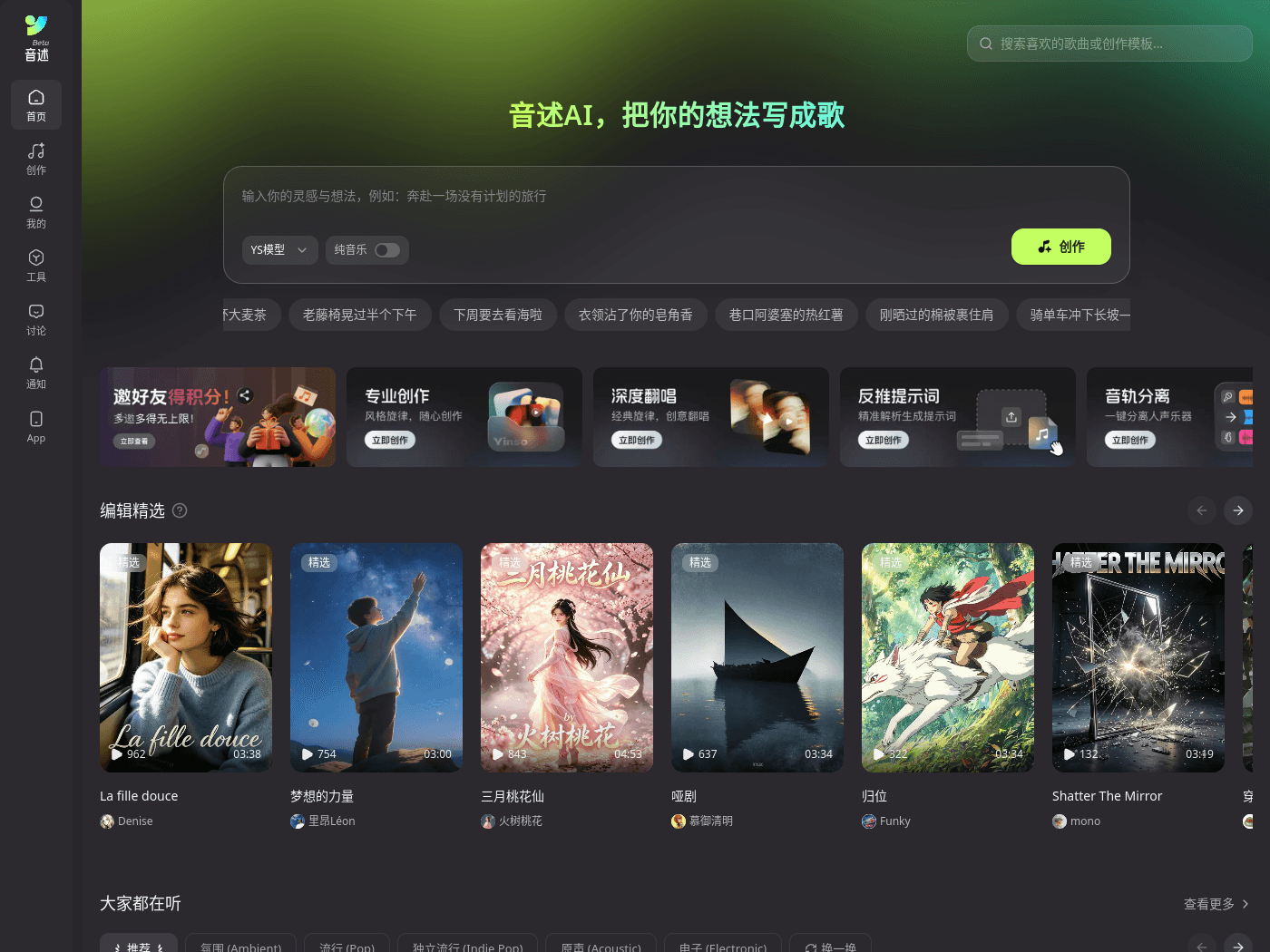
Overview
- Tool name: Yinshu AI Audio
- Official website: https://yinshu.cgref.cn/s/dqnd9p5k2z
- Category: AI Music Generation
Yinshu AI Audio is a Chinese-language AI music creation platform. Lyrics or a short idea become a full song with vocals in minutes. A public feed and charts let creators share tracks.
Key Uses
- Lyrics to full songs: Type lyrics or a short text idea, pick a genre, and generate a track with vocals — handy for turning a note, a diary line or a greeting into a finished song.
- AI lyric writing and melody generation: Draft lyrics or melodic ideas inside the writing flow, so people without a songwriting background still have something concrete to edit.
- Covers and song continuation: Cover generation, song continuation and a deeper cover mode are all listed, along with a lyric-editing tool that keeps the original melody and re-sings only the lines you change.
- Stem separation: Split vocals and instruments into separate tracks; the page states that separated stems can be downloaded in lossless quality for further work.
- Reverse prompt: Upload an audio file and have its style analysed and turned into a prompt you can reuse in your own projects.
- Smaller utilities: Audio-to-MIDI conversion, voice swap and audio enhancement sit alongside the main generator for cleanup and reworking.
- Scene templates: Ready-made starting points cover ad jingles, short-drama background music, game scores, birthday songs, brand music and sleep or ambient tracks.
Who It Is For
- Lyricists and hobbyists with no music theory: The workflow assumes you can write words, not read a staff, and the scene templates cover the first draft.
- Short-video and short-drama creators: Background-music templates address the constant need for loopable, mood-matched beds under footage.
- Indie AI musicians who want an audience: The feed, daily chart and creator pages with play counts and track counts give finished songs somewhere to live.
- Small brands and independent sellers: Jingles and brand-music templates suit teams that need a sung promo without booking a studio.
- People making one-off personal gifts: The birthday-song template is aimed at a single recipient rather than a release.
Tips for Best Results
- Start from a template, then rewrite: Pick the scene template closest to your purpose and change the lyrics and style tag; it is usually faster than opening a blank page.
- Pick the genre tag before generating: Pop, Chinese-style (guofeng), jazz, electronic, Lo-fi and R&B are offered as styles, and choosing one up front cuts down on repeat attempts.
- Write concrete scenes, not abstract moods: Featured tracks on the site lean on everyday images — a convenience-store fridge, a commute, old objects — and that level of detail tends to carry into the vocal.
- Use reverse prompt for reference tracks: If you have a song whose texture you like, run it through the reverse-prompt tool and reuse the resulting description.
- Separate stems before mixing: When you need to add effects or rebalance, pull vocals and backing apart first, then work with the lossless stems.
Limitations
- Chinese-first experience: Yinshu AI Audio is positioned as a Chinese-language music platform; the interface and the featured catalogue are Chinese, and the materials do not describe how well other languages are sung.
- Free access is limited by a credit system: A free trial is advertised and the help section covers membership and credits, but quotas and pricing are not specified in the materials — check the official page.
- Some claims are marketing, not measured: The 3-second generation and studio-grade lossless wording comes from the site's own copy; no independent test results are provided, and output quality will vary with lyric length, genre and duration.
- Rights need your own check: The site publishes copyright notes and terms of service, but the materials give no blanket answer on commercial use of generated songs or on covering existing works.
- Mobile support is unclear: An App entry appears in the navigation, yet which operating systems are supported is not stated.
Frequently Asked Questions
How do I make my first song with Yinshu AI Audio?
Open the creation page, choose text-to-music or a scene template, then enter your lyrics and a style tag. For a first attempt, keep the lyric short and the genre single, and adjust a line or two afterwards with the lyric-editing tool.
Is Yinshu AI Audio free to use?
A free trial entry is offered, and the help section covers membership and credits, which suggests some features or generations consume credits. Exact free quotas and membership pricing are shown on the official page rather than in the materials.
Which platforms and languages does it support?
The main entry point is the web app, with an App link in the navigation, though supported operating systems are not documented. Creation and the public catalogue are Chinese-language; performance in other languages is not described.
How is it different from Suno and similar tools?
The site describes itself as a Chinese-language counterpart to Suno, and both turn text into songs. Yinshu AI Audio differs in its Chinese-first interface and community, plus extra tools such as stem separation, reverse prompt and audio-to-MIDI.
Can I use generated songs commercially?
The platform publishes copyright notes and a user agreement, so commercial use should be checked against those terms case by case. If you build on a cover, voice swap or someone else's original, confirm the rights to that source material as well.