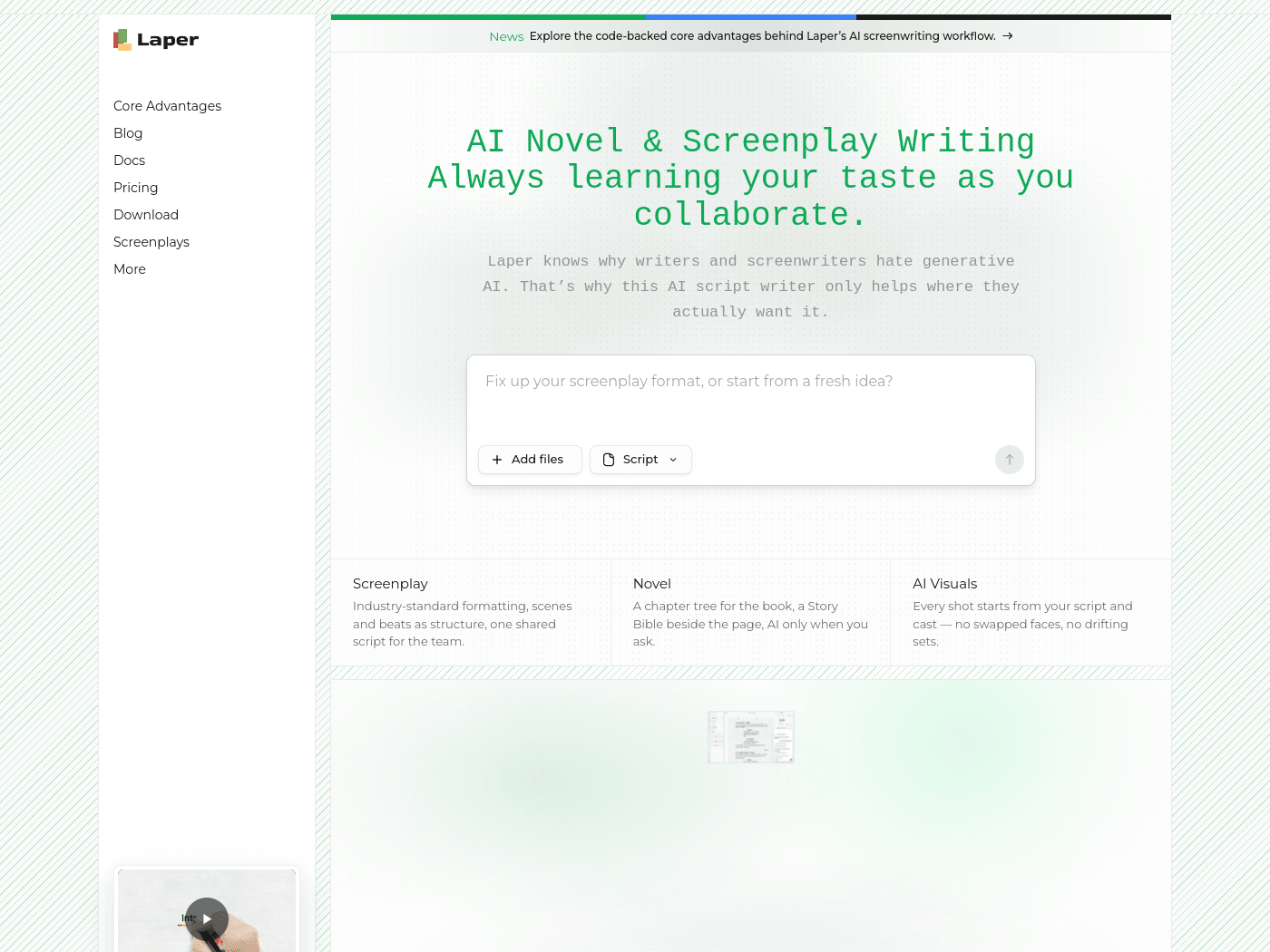
Overview
- Tool name: Laper
- Official website: https://laper.cgref.cn/s/41evj76ev8
- Category: AI screenwriting tool
Laper is an AI screenwriting tool for scripts and novels. Laper formats scenes, action and dialogue to industry standard.
Key Uses
- Automatic screenplay formatting. Scene headings, action, character cues, parentheticals, dialogue, transitions, comments and subtitles are laid out in an industry-standard screenplay format, so the page stays readable while you write.
- Drafting from a blank page or an existing file. Start with a single idea, or add a file and let Laper tidy the formatting before you continue writing.
- Novel writing alongside scripts. A chapter tree holds the book's structure and a Story Bible sits beside the page for characters, locations and worldbuilding. The AI stays out of the way until you ask for it.
- Structure and rhythm checks. Scenes, beats and shots form a visible skeleton of the script, and a statistics panel counts scenes, words, characters, locations and beats so weak stretches are easy to spot.
- One shared script for the team. Collaborators work from the same draft, with pagination and format options set once for everyone.
- Visuals tied to the script. Shots are built from the script and the cast list, so sets and characters stay consistent with what is written on the page.
Who It Is For
- Screenwriters who want formatting handled automatically but want to keep control of the actual writing.
- Novelists with long, setting-heavy manuscripts who need a chapter tree and a place to record characters, props and worldview.
- Small film teams — writers, directors and producers sharing a single draft instead of passing files back and forth.
- Writers working across both forms, moving between prose and script inside one project.
- Story planners who would rather look at beat counts and scene totals than guess at pacing.
Tips for Best Results
- Choose script or novel when you create the project. The two use different structures, and switching midway costs more time than starting clean.
- Fill in the character, location, prop and worldview lists early, so the AI's suggestions have a reference to align with.
- Keep the AI on narrow jobs such as cleaning format or extending a scene, and keep story decisions on your side of the table.
- Before handing a draft over, open the statistics panel and check scene count, beat density and how often each character appears.
- Agree on pagination and format settings with collaborators before inviting them, so everyone reads the same layout.
Limitations
- Free plan details are not spelled out. Laper is described as free screenwriting software and the site also has a Pricing page, so the limits of the free version should be checked on the official site.
- Interface language. A language switch showing EN appears on the site; whether a Chinese interface or Chinese script formatting is offered is not documented in the available material.
- AI output still needs a human pass. Generated or reformatted pages should be read scene by scene, since industry conventions vary by market.
- Platform and export details are unclear. A Download entry exists, but which platforms are covered and which file formats can be exported should be confirmed on the official site.
Frequently Asked Questions
How do I get started with Laper?
Sign in from the website and create a project, then pick the script or novel workspace. In a script you can add an existing file or start from a single idea, and the editor splits the page into scene, action, character, dialogue and transition fields. A Download entry is also listed on the site.
Is Laper free to use?
The site describes Laper as free AI screenwriting software, and it also lists a Pricing section. How many AI requests the free tier includes and what the paid plans add are not stated in the available material, so check the official page for current terms.
Does Laper work in languages other than English?
The site shows an EN language switch. Whether Laper offers a Chinese interface or handles Chinese-language script formatting is not documented, so writers working in other languages should confirm on the official site before moving a project over.
How is Laper different from a general AI writing assistant?
Laper organizes work around screenplay elements such as scenes, action, characters, dialogue and transitions, plus a chapter tree and Story Bible for novels, and its AI engages only when invoked. A general assistant typically works on free-form text, leaving structure and formatting to you.