Overview
- Tool name: Wawa Writer
- Developer: Meituan
- Official website: https://wawawriter.cgref.cn/s/5ln15q3erw
- Category: AI Writing
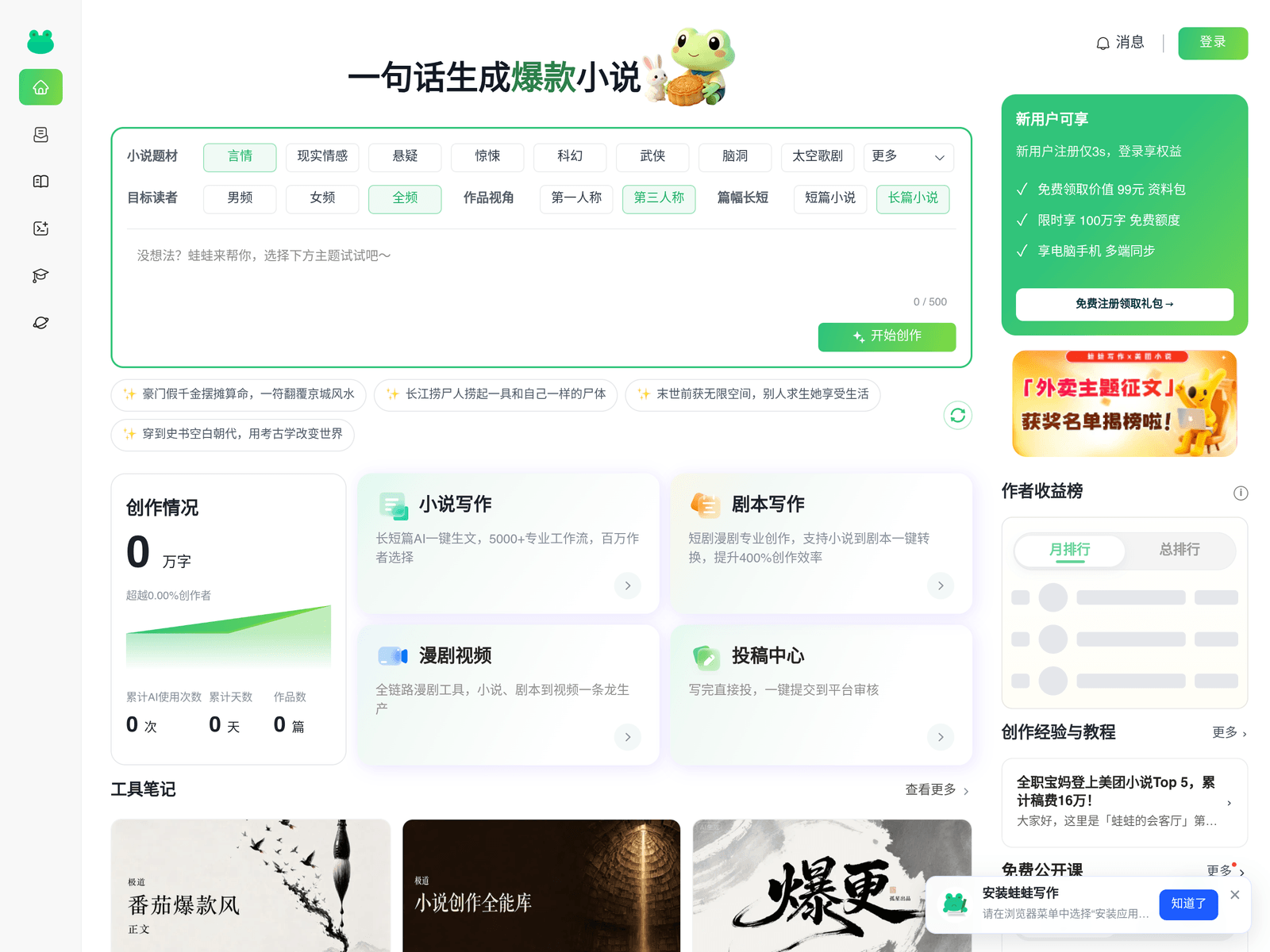
Wawa Writer is an AI writing and fiction submission tool from Meituan. Wawa Writer adds AI drafting, story deconstruction and script conversion.
Key Uses
- Fiction drafting: The built-in AI writing assistant drafts or continues chapters, and the text stays editable in the same workspace, which suits authors on a regular publishing schedule.
- Novel submission: Wawa Writer is Meituan's novel submission site, so authors can send a manuscript through the platform instead of hunting for separate channels.
- Signing services: Submission and signing sit in one place, letting authors read the signing steps on site; exact terms appear on the platform's own pages.
- Story deconstruction: A breakdown feature that takes apart an existing work's structure, useful for studying chapter pacing and how a genre is assembled.
- Novel-to-script conversion: Turns fiction into script form for later development toward short dramas or screen projects.
- Short drama video generation: Generates manga-style short drama videos from written content, giving a text story a watchable video form.
Who It Is For
- Serial web fiction authors who publish on a tight schedule and want a usable first draft fast.
- First-time submitters who prefer submission and signing handled inside one site.
- Short drama and adaptation teams converting existing fiction into scripts or video.
- Editors and content studios using deconstruction to study structure in popular titles.
Tips for Best Results
- Write out an outline, character sheet and worldbuilding notes first, then let the AI draft against them rather than from a blank page.
- Run deconstruction on comparable titles for pacing and chapter hooks, not for plot you can reuse.
- Treat script conversion output as a first draft and adjust scenes, dialogue and episode breaks by hand.
- Check manuscript format, word count and signing terms on the platform before you submit anything.
Limitations
- Pricing, free quota and membership terms are not stated in the available information; confirm them on official pages.
- AI output can drift on character voice and continuity, so every chapter needs human editing.
- Quality, export formats and length limits for script conversion and video generation are not documented.
- There is no confirmed detail on a mobile app, desktop client or API access.
Frequently Asked Questions
How do I start using Wawa Writer?
Open the official website and sign in as prompted; writing and submission entries live on the same site. Start with a single chapter or a short piece to learn the flow before moving a full manuscript over. The exact menu layout is best confirmed on the page itself.
Is Wawa Writer free to use?
The available information does not list pricing, a free quota or membership terms, so cost cannot be confirmed. Check the official site for current pricing before committing a long project. Treat any assumption of free access as unverified.
Does Wawa Writer come in languages other than Chinese, or as a mobile app?
What is available describes a browser-based site presented in Chinese. There is no confirmed detail on a mobile app, a desktop client or English-language support. Writers outside that audience should confirm availability with the platform first.
How is it different from general AI writing tools?
General writing assistants stop at generating text. Wawa Writer places drafting next to novel submission, signing, story deconstruction, script conversion and short drama video generation, so a manuscript can move toward publication and adaptation inside one site. Whether that matters depends on which step you are missing.
What should I check before submitting a manuscript?
Confirm the manuscript format, word count and signing terms shown on the platform, and edit AI-generated chapters for continuity first. Rights and payment terms should be read on the site rather than assumed. Sending a sample chapter early is a low-risk way to test the process.