
Overview
- Tool name: QuillBot
- Official website: https://try.quillbot.com/6eqrqpoysmlh
- Category: AI Writing
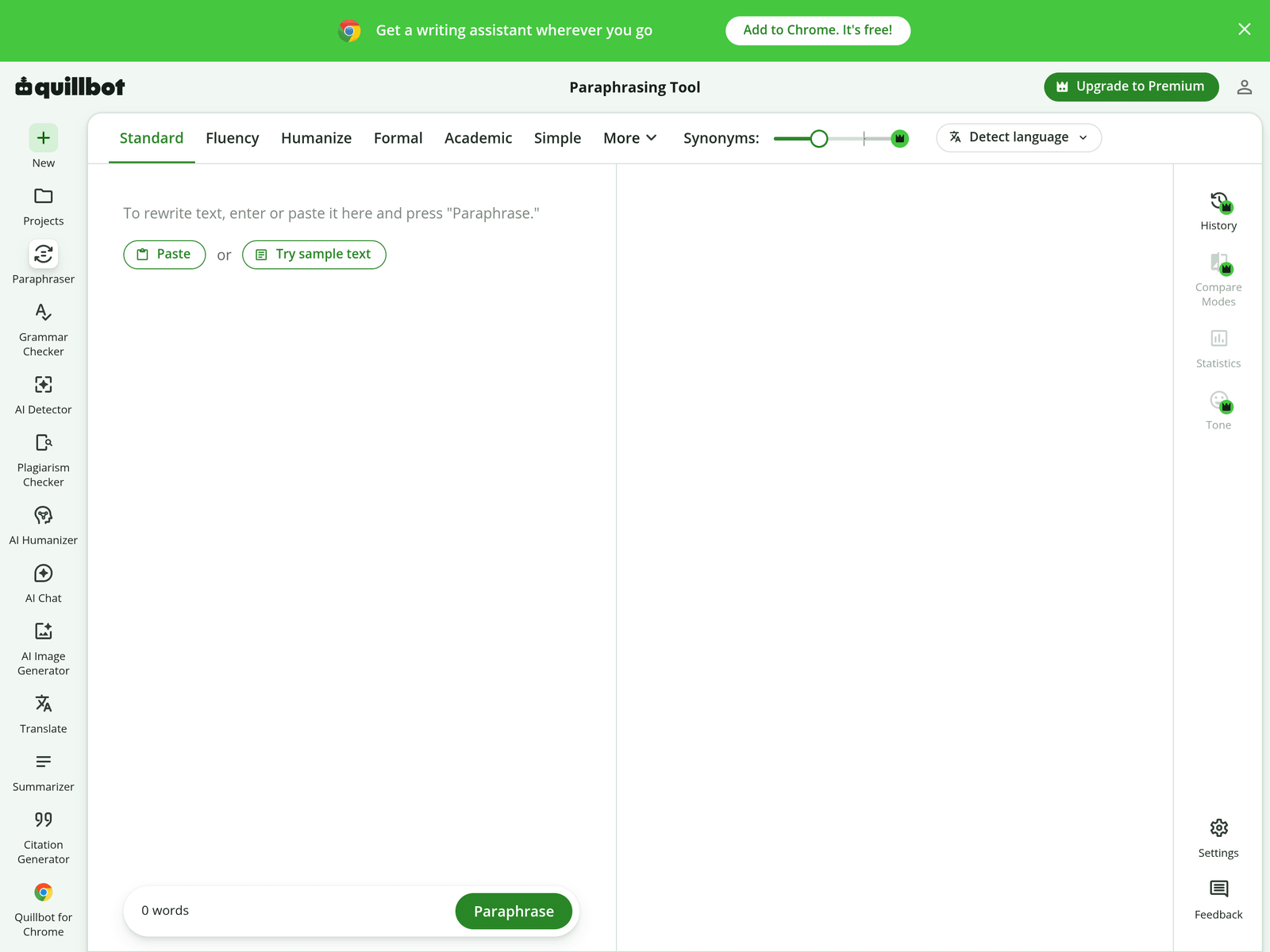
QuillBot is an AI writing tool focused on paraphrasing, grammar checking, and wording refinement for English and German text. It helps users rewrite sentences, choose synonyms, and improve fluency through multiple modes and a Chrome extension.
Key Uses
- English paraphrasing: QuillBot can rewrite existing English text into alternative versions, helping users reduce repeated phrasing and make sentences read more naturally while preserving the original idea.
- Synonym selection: The tool includes an AI-powered thesaurus-style function, allowing users to compare word choices and select synonyms that better fit the tone of an email, essay, or web copy.
- Grammar checking: Beyond paraphrasing, QuillBot provides a grammar checker entry point for spotting basic spelling, punctuation, and sentence errors before finalizing a document.
- Tone and fluency adjustment: Available page information mentions tone analysis and fluency improvement, which can help users make formal messages sound clearer or casual drafts sound smoother.
- Multiple rewriting modes: QuillBot offers more than ten paraphrasing modes, so users can choose between conservative edits, more fluent versions, formal wording, or stronger synonym changes.
- Exporting rewritten text: After generating a result, users can copy or export the text into documents, emails, or web forms, making QuillBot a step inside a larger editing workflow rather than a final publisher.
Who It Is For
- Non-native English writers: Users who write in English but want help finding more natural phrasing can use QuillBot to compare sentence structures and avoid repetitive vocabulary.
- Students drafting essays: Students can use it to explore alternative ways of expressing an idea, though they should still verify citations, terminology, and academic integrity requirements themselves.
- Professionals writing emails: Business users can refine short messages, proposals, or follow-up emails by testing different tones before sending them to colleagues or clients.
- Content creators editing drafts: Bloggers, marketers, and social media writers can generate multiple versions of a paragraph and choose the wording that best matches their audience.
- Users needing a browser-based assistant: The Chrome extension option is useful for people who write frequently inside web apps, email clients, or content management systems.
Tips for Best Results
- Choose the mode carefully: Start with a conservative mode when accuracy matters, then try stronger modes only if the meaning remains clear after a sentence-by-sentence review.
- Work in short sections: Long documents are easier to control when rewritten paragraph by paragraph, because this makes semantic shifts and awkward phrasing easier to spot.
- Protect proper nouns: Names, brands, technical terms, course titles, and quoted material should be checked manually, since automatic rewriting may unintentionally alter them.
- Combine paraphrasing with grammar review: Use the paraphraser to improve expression first, then run a grammar check and read the final version aloud to catch remaining issues.
- Keep the original text visible: Comparing the rewritten output with the source text helps ensure that the intended meaning, emphasis, and limitations have not changed.
Limitations
- Not a substitute for human review: QuillBot can improve wording, but it cannot guarantee that output meets academic, legal, medical, or publication standards without manual verification.
- Possible meaning drift: Automated rewriting may shift nuance, especially in complex sentences, negative statements, or specialized topics, so each important sentence should be checked.
- Free scope is not fully clear: The page mentions a Chrome extension and a Premium upgrade path, but the exact free limits, paid features, and usage restrictions should be confirmed inside the product.
- Language support needs verification: The provided information clearly supports English and German polishing, while broader language availability for paraphrasing, grammar, or translation should be checked in the tool itself.
Frequently Asked Questions
How do I start using QuillBot?
Users can open the QuillBot page, paste or type text into the editor, choose a paraphrasing mode, and generate a rewritten version. A Chrome extension is also mentioned for writing in browser-based environments. After generating output, compare it with the original text before copying or exporting it.
Is QuillBot free to use?
The page indicates that the Chrome extension can be added and that a Premium upgrade exists, suggesting there is a free entry point alongside paid options. However, the exact free word limits, available modes, and premium-only features are not fully detailed in the provided information, so users should check the live product page.
Which languages does QuillBot support?
The current description confirms English and German writing polishing and paraphrasing. The page also mentions language detection, but support for other languages may vary by feature. Users should confirm language options inside the tool before relying on it for non-English or non-German text.
How is QuillBot different from Grammarly?
QuillBot is especially focused on paraphrasing, synonym replacement, and multiple rewriting modes, making it useful for rephrasing existing text. Grammarly is more commonly associated with grammar correction, spelling, and writing suggestions. Some users may combine both, depending on whether they need rewriting or proofreading more.
Does paraphrasing with QuillBot remove the need for plagiarism checking?
No. Rewriting can change wording, but it does not automatically guarantee originality, proper citation, or compliance with school, publisher, or platform policies. Users should still verify sources, add citations where needed, and use appropriate originality checks when required.