Overview
- Tool name: Dreamina
- Official website: https://jimeng.jianying.com/ai-tool/home/
- Category: AI Image Tools
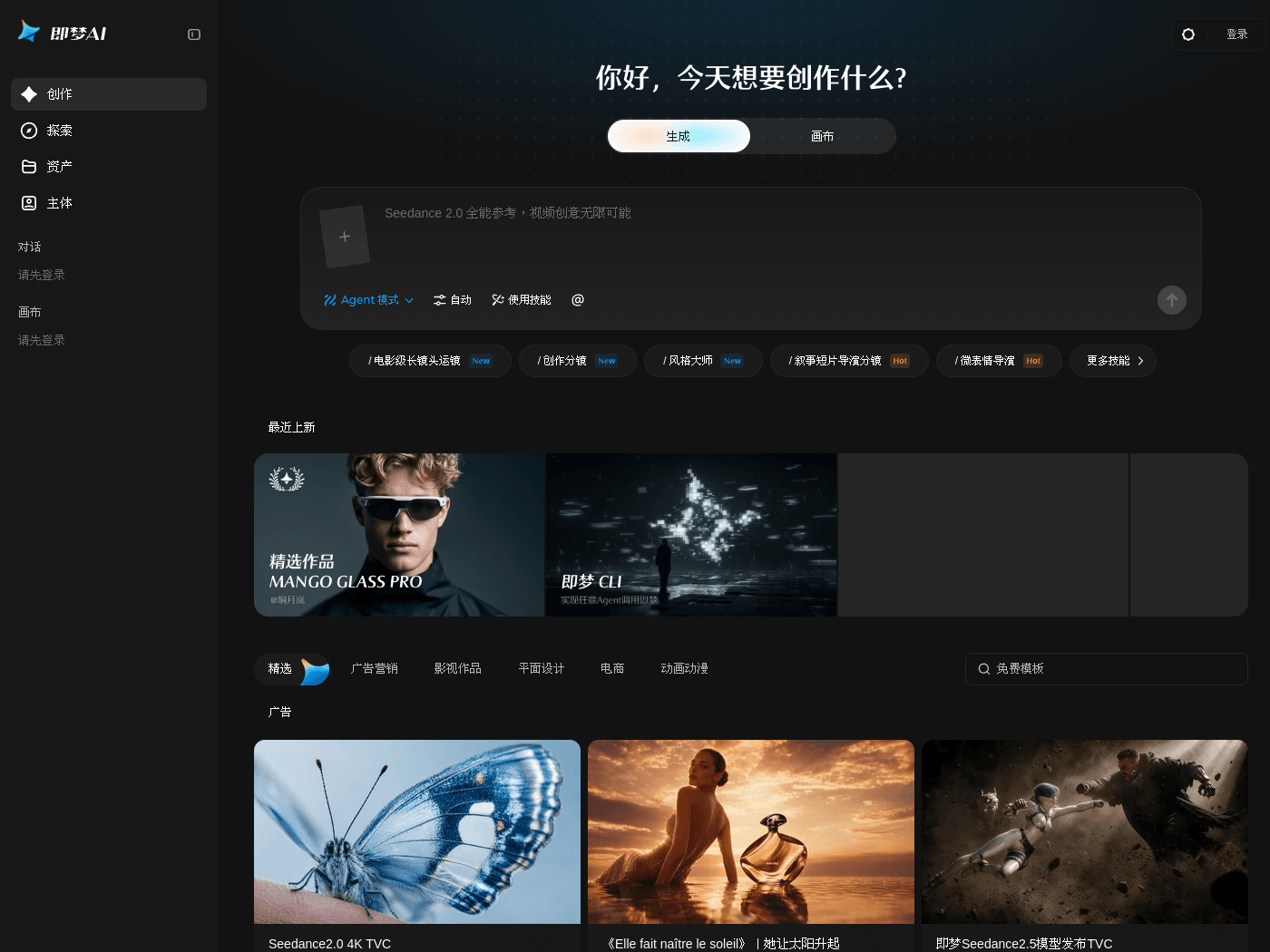
Dreamina is an all-in-one AI creation platform designed to inspire artistic creativity and enhance painting and video production experiences. Users can leverage artificial intelligence to turn imagination into reality and explore endless possibilities in digital art creation.
Key Uses
- Supports text-to-image generation, allowing users to create images automatically by entering descriptive prompts.
- Provides text-to-video capabilities to transform creative text inputs directly into dynamic video content.
- Features image-to-video generation, enabling users to animate existing static images using AI technology.
- Offers a curated inspiration section showcasing outstanding works for creators to browse and draw ideas from.
- Includes a variety of categorized creative scenarios to meet diverse content reference and design needs.
Who It Is For
- Ideal for advertising and marketing professionals creating brand campaigns and social media marketing assets.
- Suitable for film and television creators working on short films, series, and visual concept settings.
- Designed for graphic designers who need assistance with poster creation and brand design visuals.
- Helpful for e-commerce merchants looking to generate product banner images and display visuals.
Tips for Best Results
- Provide detailed and specific descriptive prompts when using text-to-image to achieve more accurate visual results.
- Browse the curated selection categories beforehand to study composition and visual styles from peer works.
- Choose between text-to-video and image-to-video inputs based on which format best suits your current creative stage.
- Check out newly updated platform features regularly to explore the latest AI generation capabilities.
Limitations
- Generated image and video quality depends significantly on prompt clarity, which may require multiple iterations.
- Platform features and category layouts are subject to updates, so refer to the official interface for the latest details.
- A stable internet connection is required throughout the session to ensure smooth AI generation processing.
Frequently Asked Questions
How do I get started with Dreamina?
Users can visit the official website and sign in to access the creation hub on the homepage, where they can choose text-to-image, text-to-video, or image-to-video tools to begin creating.
What creation modes are available?
Dreamina supports text-to-image, text-to-video, and image-to-video modes, alongside canvas tools and Agent modes to assist users across various artistic workflows.
Is Dreamina free to use?
Dreamina operates as an all-in-one AI creation platform offering various generation tools, with specific free quotas or pricing tiers detailed directly on the official website.
Where can I find inspiration on the platform?
Users can explore the featured section on the homepage, which categorizes works into advertising, film production, graphic design, e-commerce, and animation for creative reference.