Overview
- Tool name: Descript
- Developer: Descript
- Official website: https://www.descript.com/
- Category: AI Video Tools
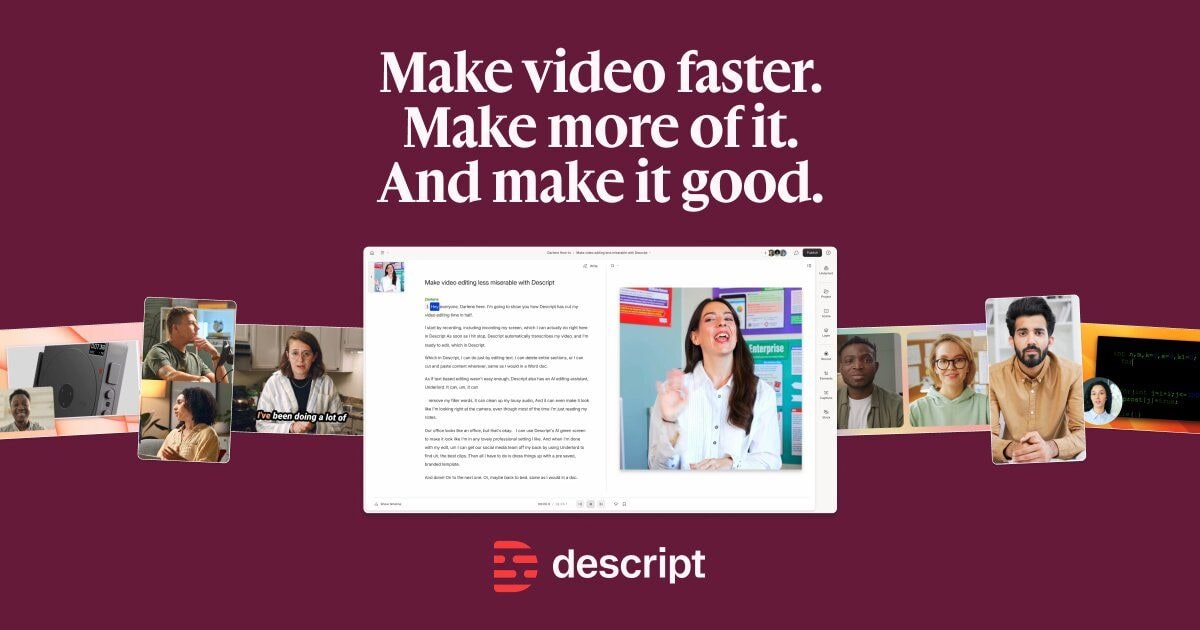
Descript is a text-based AI video and audio editor that turns editing into a document-like workflow. It helps users record, transcribe, edit, refine, and publish content without relying only on timeline editing.
Key Uses
- Edit video and audio through text: Descript converts spoken content into editable text, allowing users to cut or rearrange media by editing the transcript rather than scrubbing a timeline.
- Record screens, podcasts, and video sessions: Its screen recorder and Rooms features support tutorials, product demos, interviews, remote podcasts, and multi-person recordings.
- Add captions and automatic transcription: The tool can generate transcripts and subtitles, which helps make social clips, training videos, and podcast clips easier to publish.
- Improve sound and picture quality: Features such as Studio Sound, Eye Contact, Green Screen, Remove Filler Words, and Remove Retakes help clean up common recording issues.
- Create clips and supporting content: Clips, Translation, YouTube descriptions, and Show notes can help turn long recordings into shorter assets and publish-ready materials.
- Use AI avatars and generated media: Descript also lists AI Avatars, Generate media, AI speech, and voice cloning options for producing supplemental or stylized content.
Who It Is For
- Marketing teams producing short-form video: Teams can repurpose interviews, webinars, and long videos into social clips, campaign assets, and product-focused content.
- Podcasters and interview creators: Descript supports multitrack audio editing, recording, transcription, and show-note style workflows, making it relevant for podcast production.
- Educators, trainers, and product teams: Screen recording plus text-based editing suits tutorials, onboarding videos, product demos, and educational explainers.
- Sales and customer-facing teams: Sales, sales enablement, learning and development, and customer success teams may use it for demos, case studies, and support content.
- Enterprise teams needing collaboration and brand controls: The site mentions enterprise-grade security, brand controls, collaboration, and use by teams at Amazon, Canva, and Salesforce.
Tips for Best Results
- Start with the transcript before fine-tuning: Let Descript generate the full transcript first, then remove filler words, retakes, and off-topic sections before handling more detailed edits.
- Match AI features to the recording type: Use Studio Sound and Remove Filler Words for spoken content, while Eye Contact, Green Screen, and Enhance video are more relevant for presenter-led footage.
- Keep recording and editing in one workflow: If the project begins with a screen recording or remote interview, staying inside Descript can reduce exporting, re-importing, and version confusion.
- Review captions and names before publishing: Automatic transcription can speed up production, but product names, technical terms, and speaker names should still be checked manually.
- Evaluate team features before choosing a plan: If multiple reviewers, brand templates, or enterprise controls are needed, assess those requirements instead of judging Descript only as a solo editor.
Limitations
- Text-based editing may not suit advanced visual work: Complex motion graphics, precise color grading, and detailed timeline control may still require a more traditional video editor.
- AI cleanup depends on source quality: Studio Sound, Eye Contact, and retake removal can help, but poor microphones, lighting, or camera angles may limit the final result.
- Free access details are not fully stated on the homepage: The site says users can try it free, but the excerpt does not specify plan limits, pricing, or export restrictions, so official pricing should be checked.
- Some capabilities are oriented toward teams: API + MCP, enterprise security, brand controls, and collaboration features may matter more to organizations than to casual users.
Frequently Asked Questions
How do I start using Descript?
Users can sign up through the official website, then record a screen, create a project, or upload existing audio and video. Descript generates a transcript, and edits can be made by modifying the text before exporting or publishing.
Does Descript have a free option?
The homepage includes a Try Free call to action, indicating that there is a way to start without paying first. However, the provided page excerpt does not list exact free limits, plan tiers, or export rules.
Is Descript better for podcasts or videos?
It supports both. The tool covers video editing, multitrack podcast audio editing, screen recording, Rooms recording, captions, and AI cleanup, so it can serve podcasters, video creators, and mixed content teams.
How is Descript different from a traditional timeline editor?
Traditional editors center on clips, tracks, and keyframes. Descript centers on transcript-based editing, making cuts feel closer to editing a document, while also adding recording, transcription, captions, and AI refinement.
Does Descript support API or AI assistant workflows?
Yes, the site mentions API + MCP, which indicates that editing can be done through code or within an AI assistant workflow. It also presents Underlord as an AI assistant for creative and editing tasks.