
Overview
- Tool name: Qwen
- Official website: https://www.qianwen.com/
- Category: AI Chatbots
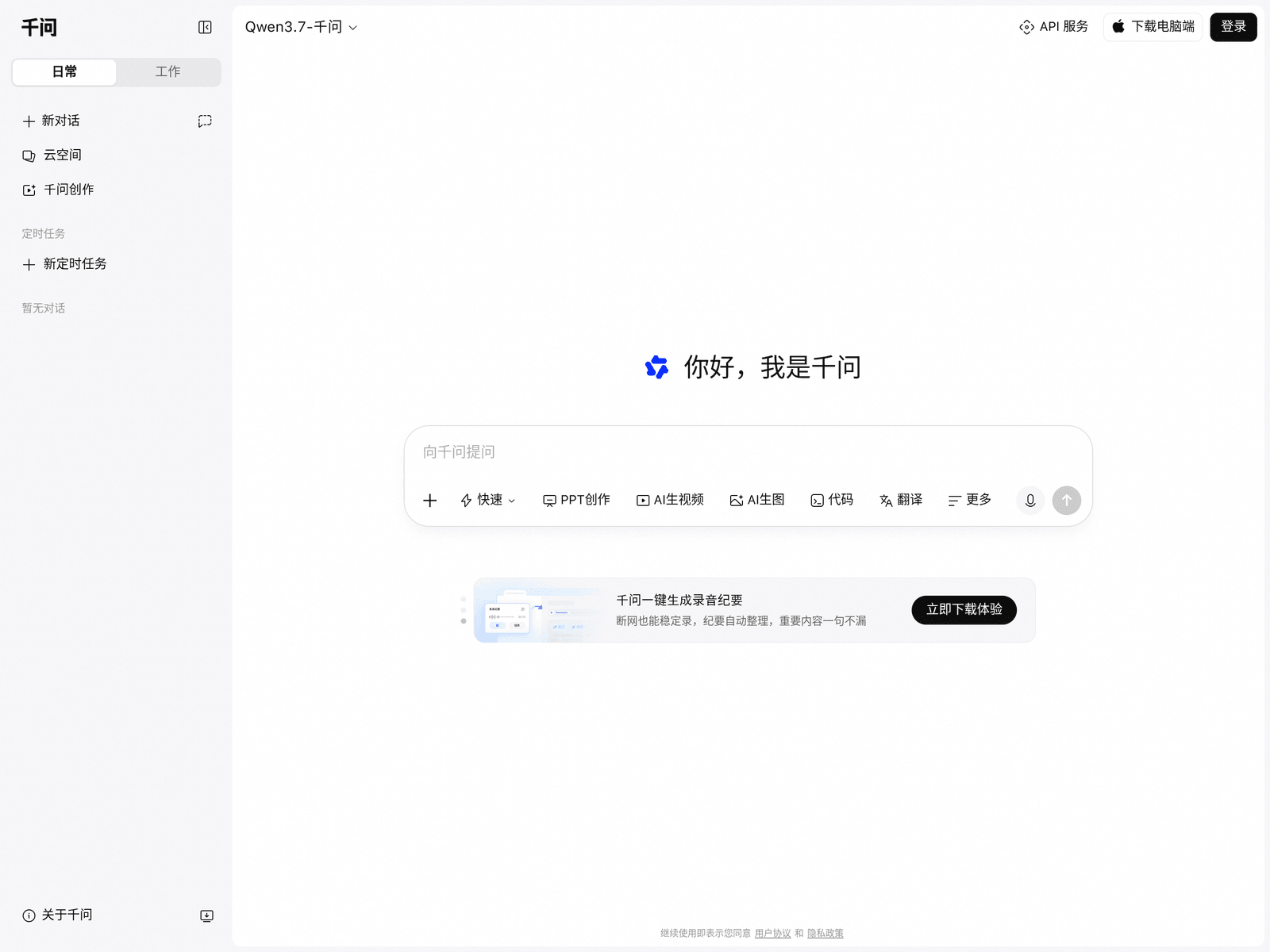
Qwen is Alibaba's official AI chat assistant built around the Qwen model family. It supports searching, summarizing, writing, slide creation, image generation, and audio or video note-taking for work, study, and daily tasks.
Key Uses
- AI search and research assistance: Qwen can answer questions, explain topics, and help users gather background information, making it useful for quick research and general learning.
- Webpage and long-form summarization: The service includes webpage summarization, allowing users to condense long pages into key points before writing reports, studying materials, or analyzing content.
- Slide creation and presentation drafting: Qwen offers AI-powered slide creation tools that can help outline presentations, structure reports, and reduce the effort of starting a deck from scratch.
- Image generation for creative work: The assistant includes AI image generation, which can support brainstorming, illustrations for documents, and visual ideas for presentations or articles.
- Audio notes and media summarization: Qwen supports recording notes and fast review of audio or video content, which can help turn meetings, interviews, lectures, or spoken ideas into more reviewable text.
- Writing, translation, and code assistance: The interface provides shortcuts for AI writing, translation, and code-related tasks, helping users draft text, convert languages, and handle basic programming requests.
Who It Is For
- Office workers and professionals: Qwen can assist with drafting materials, organizing tasks, preparing reports, and summarizing information, which suits users looking to speed up routine office work.
- Students and self-learners: Learners can use Qwen to summarize webpages, clarify topics, organize study notes, and review recorded lectures or spoken materials.
- Meeting and interview participants: People who need records of meetings, interviews, training sessions, or discussions may benefit from the recording notes and audio/video review features.
- Content creators and presenters: Writers, marketers, educators, and other creators can use Qwen for first drafts, slide outlines, translation, and generated images when preparing content.
Tips for Best Results
- Provide context in your prompt: Include the goal, audience, length, and desired format when asking Qwen to write, summarize, or plan. Clear instructions usually produce more usable results.
- Use the dedicated feature shortcuts: For tasks such as webpage summarization, slide creation, image generation, or recording notes, choosing the relevant entry point is often better than asking a broad question.
- Review important outputs manually: AI-generated summaries, translations, notes, and drafts should be treated as starting points. Verify facts, names, figures, and key claims before using them in final work.
- Choose the right device or app for the task: The official site mentions desktop download options and related mobile experiences such as input method and recording features, so select the endpoint that matches the task.
Limitations
- Accuracy may vary by task: AI answers, summaries, translations, and generated content can contain mistakes, especially for specialized topics, recent information, or complex factual claims.
- Some features may depend on specific apps or clients: Recording notes, input method functions, slide tools, and other capabilities may be tied to particular apps, versions, or download options shown on the official pages.
- Users should review terms and privacy policies: The site states that continued use indicates agreement with user agreements and privacy policies. Users should consider data sensitivity before uploading webpages, recordings, or work materials.
Frequently Asked Questions
How do I start using Qwen?
Users can visit the official website and begin by asking questions in the chat interface. For desktop use, input method features, or recording-related tools, the site provides corresponding download or access options.
What features does Qwen provide?
The official page lists AI search, webpage summarization, AI slide creation, image generation, recording notes, audio and video review, writing, translation, and code assistance. Feature availability may vary by version or client.
Who should use Qwen?
Qwen is suitable for professionals, students, researchers, and creators who need help with search, summarization, writing, presentations, and note-taking. It is especially useful for turning scattered information into structured drafts.
How is Qwen related to the Qwen model family?
Qwen is Alibaba's official AI assistant and serves as a direct entry point for experiencing the Qwen model family. Conversations, summaries, writing, and generation tasks are powered by these models.
What should users be careful about?
Users should review the user agreement and privacy policy before uploading sensitive materials. Generated outputs should be checked before publication or decision-making, particularly for professional, legal, academic, or business use.