
- Tool name: CodeWhisperer
- Developer: Amazon
- Official website: https://aws.amazon.com/codewhisperer
- Category: AI Coding Tools
CodeWhisperer is an AI coding assistant by Amazon for IDE and command-line work. It helps write, debug, and refactor code inside developer environments.
Overview
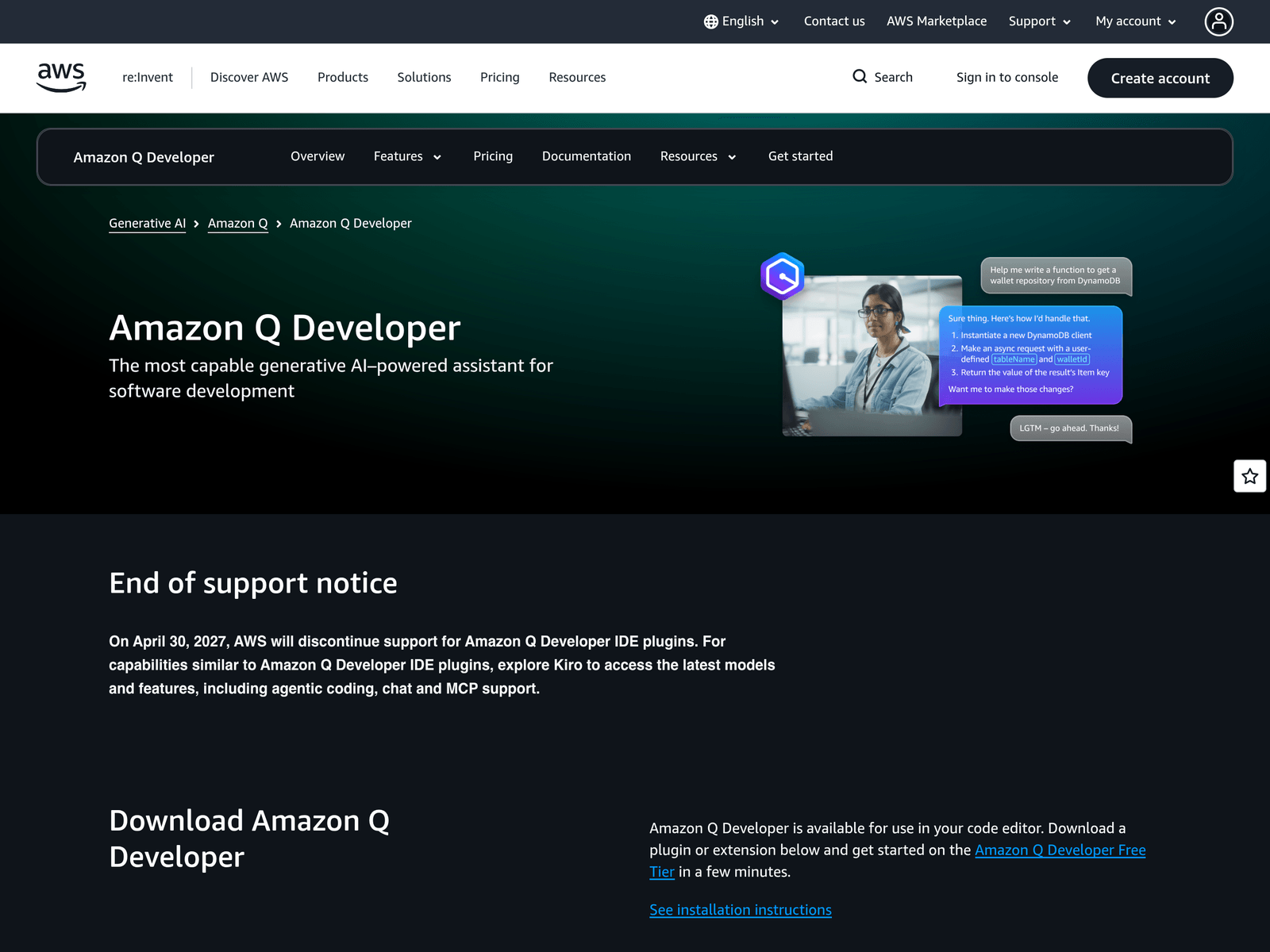
The public page for CodeWhisperer now points to Amazon Q Developer and includes an End of support notice, indicating that the original product name has been carried forward under a newer brand. Based on available page information, the tool is designed to place AI-assisted coding directly inside common development environments rather than requiring users to move to a separate web interface. For developers who regularly write functions, investigate errors, or clean up older codebases, CodeWhisperer is best understood as an assistant layer inside the workflow, not a replacement for engineering judgment.
Key Uses
- Generate code suggestions inside IDEs: CodeWhisperer can provide suggestions in JetBrains, VS Code, Visual Studio, and Eclipse, reducing repetitive manual typing during routine development.
- Assist with debugging: The tool can help investigate code issues, making it useful when developers encounter error messages, unexpected behavior, or unclear logic paths.
- Refactor existing code: For projects that need cleaner functions, better naming, smaller modules, or improved readability, CodeWhisperer can support incremental refactoring work.
- Support command-line workflows: In addition to graphical IDEs, the available information lists command-line usage, which suits developers working with terminals, scripts, or remote environments.
- Assist AWS-related development: The page highlights Operate on AWS as a separate section, showing a connection to AWS cloud workflows, resource operations, and service-oriented development tasks.
- Cover multiple stages of development: The material describes making the whole development lifecycle easier, so the tool is not limited to one-off completion but can assist across writing, debugging, and refactoring.
Who It Is For
- Application developers writing routine features: Developers building business logic, API calls, data-handling functions, or standard modules can use CodeWhisperer to reduce repetitive typing inside the IDE.
- Teams maintaining legacy code: When dealing with older projects, unclear functions, or codebases that need gradual cleanup, the tool can help refactor step by step before larger manual rewrites.
- AWS-focused engineers: If a project runs on AWS or frequently uses AWS services and cloud resources, CodeWhisperer is more closely tied to that environment than a purely generic code assistant.
- Terminal-first engineers: Engineers who build, deploy, or maintain scripts mainly from the command line can keep AI assistance inside their existing terminal workflow.
- Teams using multiple IDEs: Because the page lists JetBrains, VS Code, Visual Studio, and Eclipse, teams with mixed editor preferences may find a more consistent entry point.
Tips for Best Results
- Check the current product entry first: Since the page now shows Amazon Q Developer and an End of support notice, users should confirm the current support status and download path before installing anything.
- Install through the right environment: For JetBrains, VS Code, Visual Studio, or Eclipse, look for the corresponding plugin route; for terminal-heavy work, review the command-line option first.
- Treat suggestions as a draft: Whether the output is generated code, a debugging hint, or a refactoring proposal, it should be reviewed for edge cases, dependency versions, permissions, and business logic.
- Provide AWS context when relevant: For tasks involving AWS resources, cloud configuration, or service calls, clear project context helps avoid generic suggestions that ignore cloud constraints.
- Keep manual testing in place: AI coding assistants can reduce typing and investigation time, but they do not replace unit tests, integration tests, or code review for critical modules.
Limitations
- Brand and support status may have changed: The page shows Amazon Q Developer alongside an End of support notice, so users should rely on the current official notice rather than assuming the original name remains unchanged.
- Programming language coverage is not fully listed: The available page excerpt does not provide a complete list of supported languages, so users should verify language support in the plugin or product details before adoption.
- Generated output still needs review: CodeWhisperer can assist with writing, debugging, and refactoring, but outputs may contain logic errors, outdated dependencies, or security issues and should not be merged without checks.
- Free-tier details are not fully shown in the excerpt: The existing summary mentions free access, and the page includes Get started for free, but the excerpt does not fully define limits, tiers, or version differences.
Frequently Asked Questions
Can I still use CodeWhisperer today?
The public page now shows Amazon Q Developer and includes an End of support notice, which suggests the original name may have been migrated. Users should check the official page for the current support status before installing. If a newer entry is provided, that should be used instead.
Which development environments does CodeWhisperer support?
The available information lists JetBrains, VS Code, Visual Studio, Eclipse, and command-line usage. IDE users should look for the matching plugin route, while terminal users should review the command-line option. Exact version compatibility should be confirmed during installation.
Is CodeWhisperer free?
The existing summary describes it as a free AI coding assistant, and the page includes Get started for free. However, the excerpt does not fully explain limits, conditions, or version differences, so users should check the latest official details before relying on free access.
How is it different from generic AI code assistants?
CodeWhisperer is positioned inside IDEs and the command line, and the page separately highlights Operate on AWS. That makes it more closely connected to AWS cloud development than assistants focused only on general code completion.
What should I use if CodeWhisperer is no longer maintained?
Based on the current page, Amazon Q Developer appears to be the successor entry point and covers writing, debugging, and refactoring tasks. If support for the original name has changed, users should move to the Amazon Q Developer page for downloads and guidance.