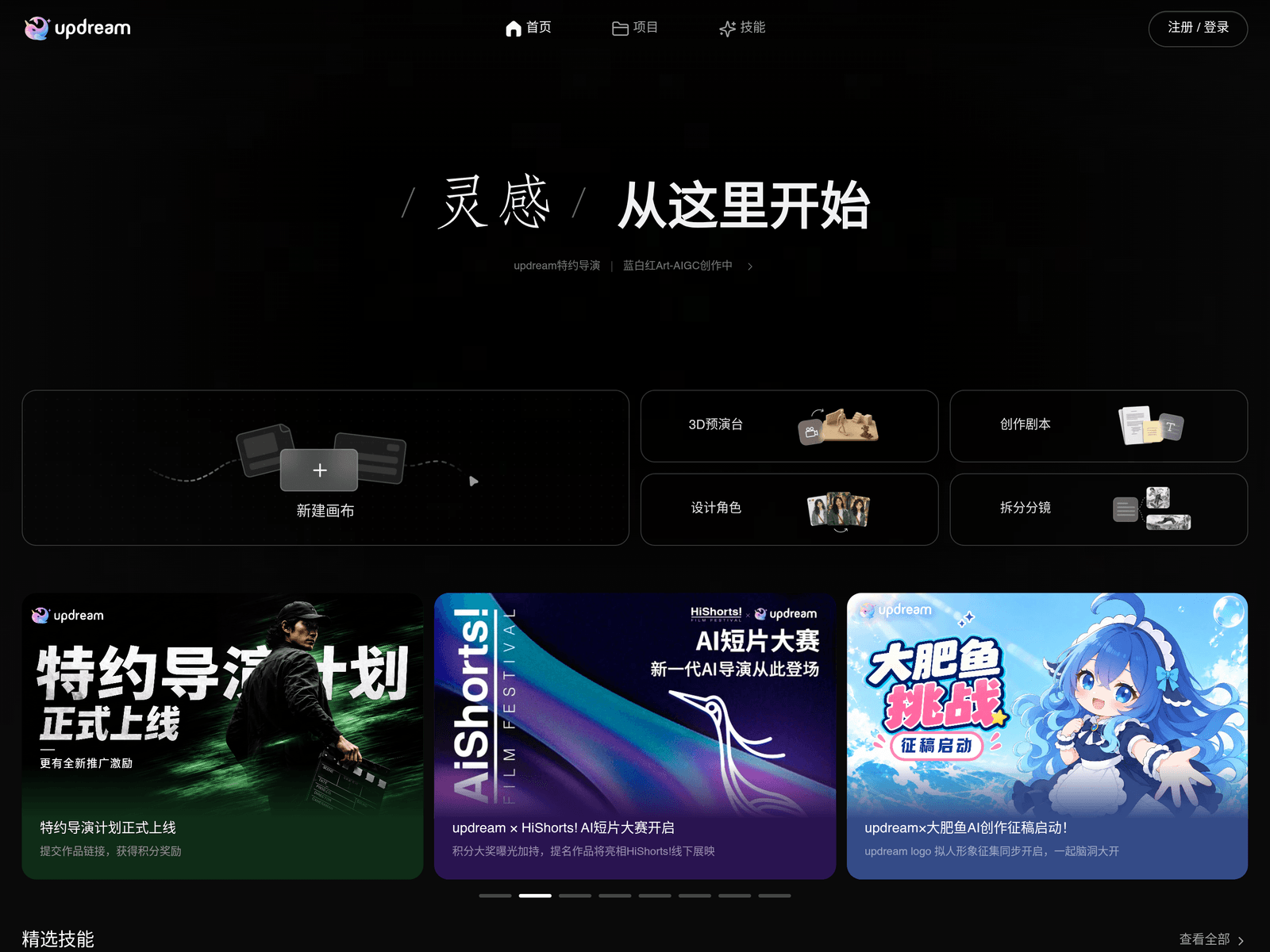
Overview
- Tool name: updream
- Developer: Bilibili
- Official website: https://updream.cgref.cn/s/20ep5rdkw1
- Category: AI Video Tools
updream is an AI video creation tool built by Bilibili. updream centers on a canvas and a library of ready-made skills. Usage is metered with credits.
Key Uses
- Start a new canvas from the home page to give each video its own workspace, keeping clips and steps inside a single project.
- Browse Featured Skills or open View All to find a prebuilt capability that matches the kind of video you want to make.
- Manage finished pieces and drafts from the Projects page, so several videos can move forward side by side.
- Read the credit pricing table before committing, to see how different models and task types are metered.
- Top up through the free-credit entry, and keep general credits separate from dedicated ones.
- Audit consumption details and issuance records to reconcile each charge against a specific task.
Who It Is For
- Creators publishing on Bilibili who want a shorter path from an idea to a finished video.
- People new to AI video who prefer a compact three-item navigation of Home, Projects and Skills over a dense professional suite.
- Solo creators who need to watch spending per video and keep costs predictable.
- Small teams that want projects, skills and credit records kept under one account.
Tips for Best Results
- Register and sign in first, because credit balances and usage history are tied to the account.
- Skim the full skill list before building anything, so you do not rebuild something the library already covers.
- Treat today's and this month's consumption figures as a gauge, and test in small steps while you are still learning the tool.
- Recheck consumption details after switching models or task types, since metering can differ between them.
- Confirm whether general or dedicated credits apply before purchasing a batch.
Limitations
- Everything runs on credits, and the per-skill and per-model rates live in the pricing table, which should be read at the time of use.
- The public page does not list export formats, resolution, length limits or interface languages.
- Only a browser-based flow can be confirmed; no public information describes mobile apps, desktop clients or an API.
- updream is designed around Bilibili publishing, so aspect ratios and specs for other platforms need checking before you commit.
Frequently Asked Questions
How do I start using updream?
Sign in on the website, then click New Canvas on the home page to create your first project. From there, open the Skills section and pick a capability for the video you have in mind. Everything runs in the browser, so there is nothing to install. It is worth looking at a few featured skills first to see what the library covers.
Is updream free to use?
updream is metered with credits, and the site includes a free-credit entry for topping up a balance. Credits come in general, dedicated and purchased types, and the pricing table lists what each model and task costs. The public page does not state a fixed free allowance, so the usable amount depends on the account.
Which platforms and languages does updream support?
The confirmed way to use updream is through a web browser: open the site, sign in, and your projects and credit balance stay with the account. The public page does not say whether mobile or desktop apps exist, nor which interface languages are available. Check the in-product settings after signing in for those details.
How is updream different from general AI video generators?
updream is built by Bilibili and aimed squarely at creators publishing on that platform, with a lightweight interface rather than a screen full of professional parameters. It packages capabilities as skills that sit alongside a canvas and a projects list. If you only need generic text-to-video or image-to-video output, other AI video tools are worth comparing on export specs.