
Overview
- Tool name: Higgsfield
- Developer: Higgsfield
- Official website: https://higgsfield.ai/
- Category: AI Video Tools
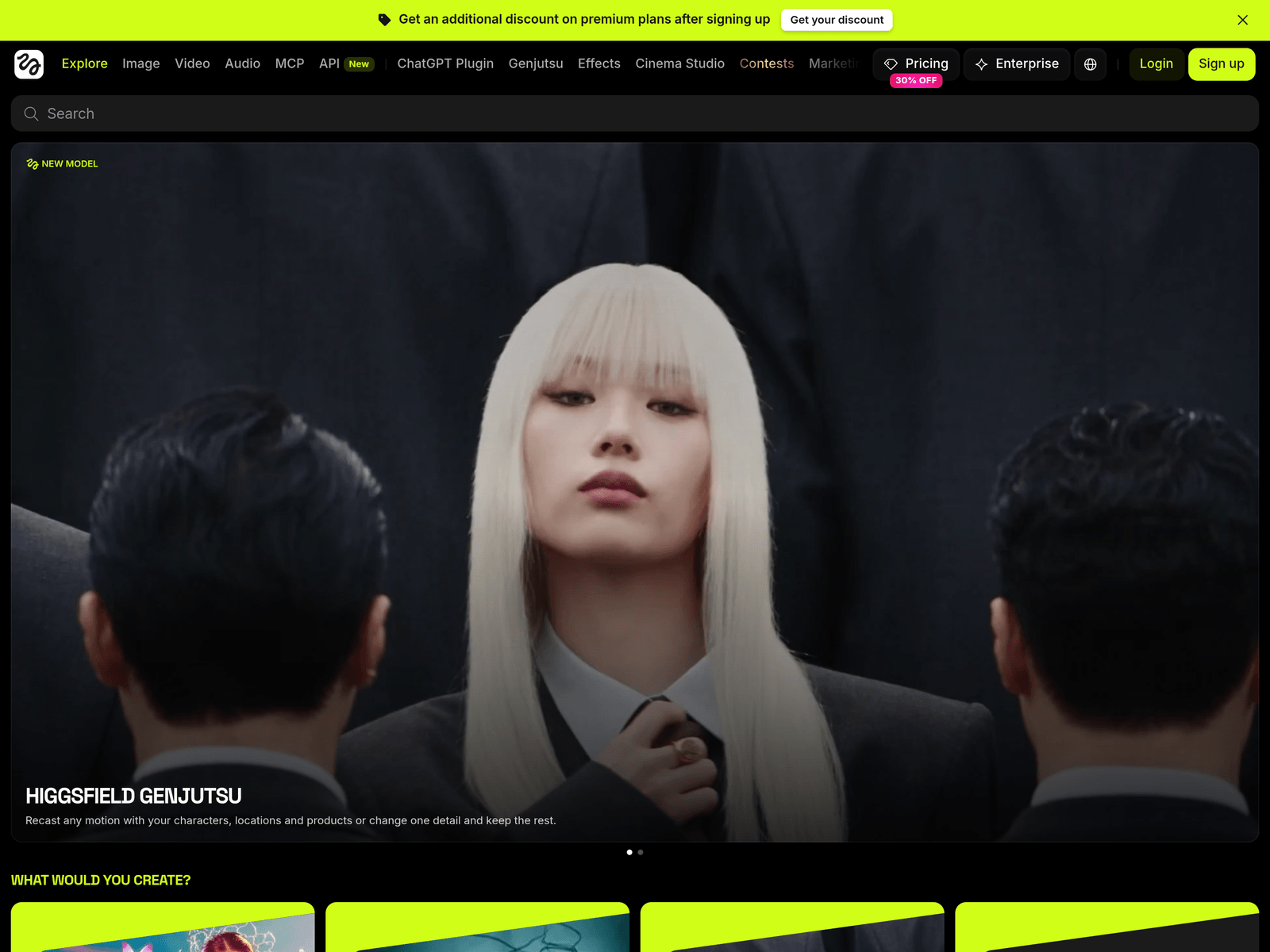
Higgsfield is an AI-native creative suite that generates images, videos, and voice content from text prompts or references. It supports media editing, upscaling, and workflow automation through an AI agent, available on web and mobile.
Key Uses
- Generate images, videos, and voice content from text prompts or reference materials, supporting multi-stage creative production from concept to final output.
- Edit and upscale existing media assets, making it easier to repurpose content across different platform requirements and resolution standards.
- Automate repetitive creative workflows using the built-in AI agent, allowing creators to focus more on direction, storytelling, and artistic decisions.
- Create content on both web and mobile interfaces, enabling flexible transitions between desktop editing and on-the-go ideation.
- Integrate with external tools like ChatGPT or Claude to embed image and video generation into conversational creative workflows.
- Assist paid advertising teams by supporting market research and ad test creation, helping produce iterative creative variations efficiently.
Who It Is For
- Short-form video creators who need cinematic or stylized motion clips for social media publishing without full production setups.
- Advertising and marketing teams that require rapid iteration on ad creatives, from research insights to testable visual concepts.
- Visual effects artists and filmmakers exploring AI-generated explosions, surreal transformations, or stylized sequences for previsualization.
- Independent creators or small teams producing multimedia content across image, video, and audio with limited production resources.
- Educational content developers who need illustrative visuals to explain abstract concepts or demonstrate procedural workflows.
Tips for Best Results
- Start with official presets such as visual effects templates to understand generation styles, motion behavior, and parameter sensitivity.
- Include clear descriptions of camera movement, visual style, and subject action in text prompts to improve alignment with expected outputs.
- Review plugin or MCP setup guidance before integrating with ChatGPT or Claude to ensure smooth adoption within existing workflows.
- Test creative direction using shorter clips or lower-resolution outputs before committing to full-length or high-fidelity renders.
- Follow community showcases and contest galleries to discover practical techniques and stylistic approaches used by other creators.
Limitations
- Official materials do not specify free-tier availability or detailed pricing; users should verify current subscription options after registration.
- AI-generated outputs may contain visual inconsistencies or stylistic deviations, so manual review and post-editing remain advisable for professional work.
- Advanced capabilities such as AI agent automation or third-party integrations may require specific account access or configuration.
- Commercial use of generated content should be reviewed for licensing and rights compliance before public distribution.
Frequently Asked Questions
How do I get started with Higgsfield?
Visit the official website to create an account, then begin generating content through the web or mobile interface. New users can explore built-in presets and visual effects templates to learn prompt structures and generation behavior.
Does Higgsfield offer a free plan?
The available information does not confirm a free tier, though registration may include promotional discounts or model access. Users should check their account dashboard for current usage terms and available credits.
Which platforms does Higgsfield support?
Higgsfield works on web and mobile platforms. It also offers integrations with ChatGPT and Claude through plugins or MCP, enabling generation within conversational environments.
How is Higgsfield different from other AI video tools?
Higgsfield positions itself as an AI-native creative suite covering image, video, audio, and editing. Its integrations with ChatGPT and Claude, plus specialized workflows for ads and visual effects, distinguish it from single-purpose video generators.
Are there alternatives to Higgsfield?
Other AI video tools such as Runway and Pika offer different strengths in motion control, editing depth, or platform support. Creators should compare based on desired camera effects, multimodal needs, and workflow integration.