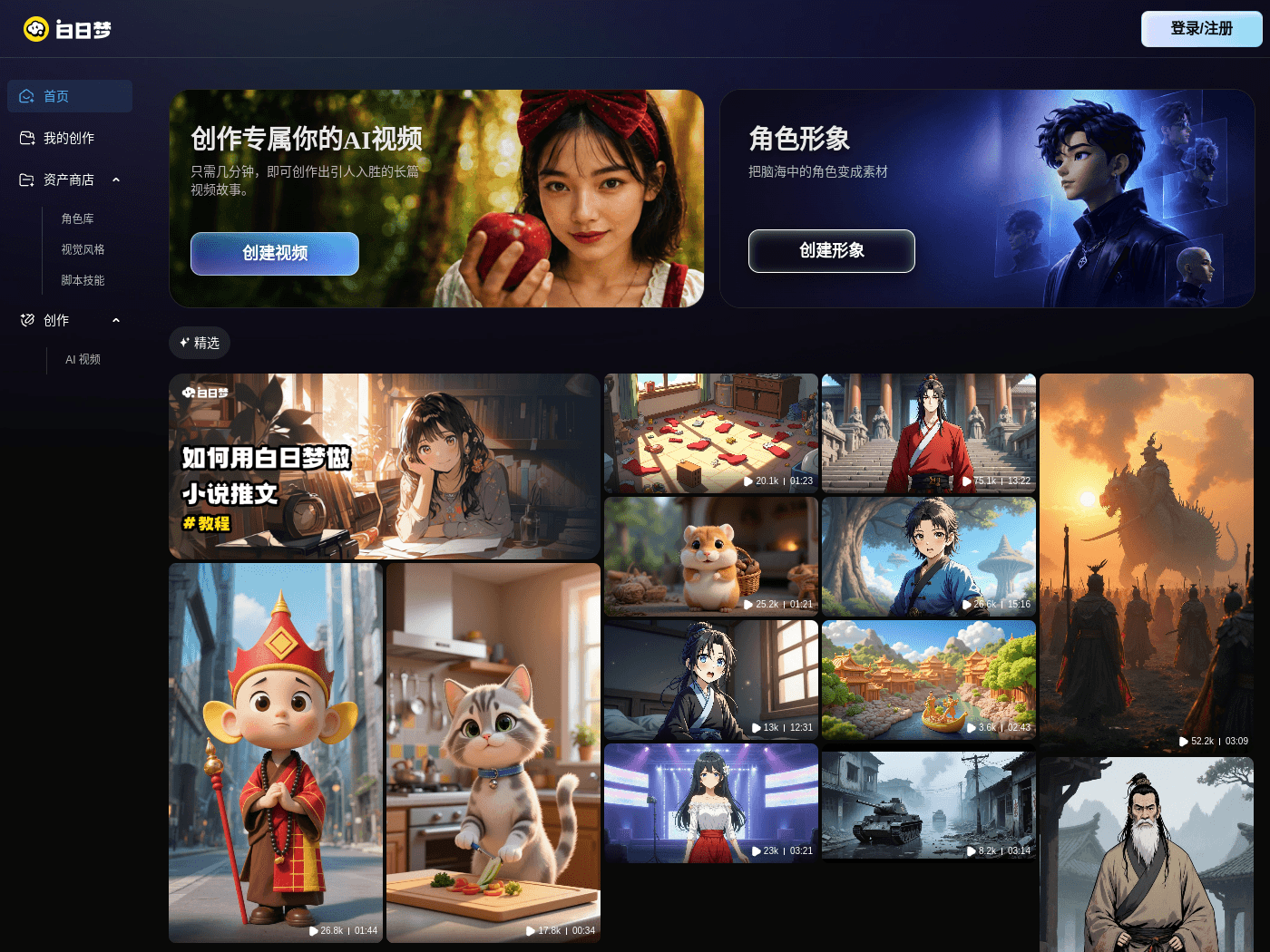
Overview
- Tool name: Bairimeng AI Video
- Official website: https://aibrm.cgref.cn/s/omkl5g7e4d
- Category: AI Video Tools
Bairimeng AI Video is a tool for AI video generation and editing. It supports clips up to 50 minutes long. Creators use it for stories and ads.
Key Uses
- Turn a written brief into a first cut: Paste a plot summary or a product description and get visible footage back, so you can judge which shots are worth keeping before spending time on polish.
- Produce long-form pieces: A single project can run up to 50 minutes, which makes the platform usable for complete narrative arcs, multi-part series or extended explainers rather than only short social clips.
- Edit what you have generated: Clips can be revised inside the same environment, reordering shots and trimming pacing, instead of exporting to a separate editor for every small change.
- Create several marketing versions: Generate multiple variants of one product or campaign clip and compare which version holds attention across channels.
- Visualise a script: Convert novel passages or screenplay sections into storyboard-style frames to check whether the pacing works before production starts.
- Build lesson material: Break a topic into short segments and turn them into visuals for courses or explainer videos that can be reused later.
Who It Is For
- Solo creators and small teams who publish on a regular schedule but have no camera crew or editing room behind them.
- Marketers and e-commerce sellers who need several short clips per campaign and need them quickly.
- Writers and storytellers who want to see a text passage as moving images before committing to a full production.
- Trainers and educators converting course material into reusable video segments.
- Agencies and freelance designers sketching a visual direction for a pitch or a client review.
Tips for Best Results
- Write the script in detail: Name the characters, describe the setting, specify shot angles and target duration. A one-line prompt gives the model far less to work with than a structured scene description.
- Generate in segments: Split a long piece into scene-sized chunks, approve each one, then combine them. Fixes stay local instead of forcing a full rebuild.
- Plan a human review pass: Check character consistency, captions and factual wording before anything goes public, especially for brand or educational content.
- Test one clip first: Confirm that the visual style and pacing match the brief before producing a batch of variants.
- Read the commercial terms: Confirm how generated material may be used and what the platform states about source assets before running a paid campaign.
Limitations
- Public documentation is thin: The available description covers generation, editing and production; model details, resolution and export formats are not listed and should be checked on the official site.
- The 50-minute figure is a ceiling, not a one-shot output: Long pieces in practice are assembled from several generated segments plus editing work, so plan the schedule around that.
- Pricing is not published: No price, free allowance or trial terms appear in the public materials, so the cost has to be confirmed before committing a team to the workflow.
- Consistency still needs a human eye: Keeping characters and settings stable across a long video is a review task rather than something to assume, and it usually takes several passes.
- Platform and language support are unconfirmed: The materials do not state which devices, browsers or interface languages are supported, so verify access on your own setup first.
Frequently Asked Questions
How do I start using Bairimeng AI Video?
Open the official site in a browser, sign in and enter the creation workspace, then supply a script or a description. Starting with a short clip of ten to fifteen seconds is a practical way to learn the generation and editing flow before attempting longer pieces.
Is there a free plan or trial?
The public page does not list a free allowance, a trial period or pricing, so it is not possible to say whether the tool can be tried at no cost. Check the current billing information on the official site and validate output quality with a small project first.
How long can one video be?
According to the product description, a single piece can run up to 50 minutes, which suits full stories or longer explainers. In practice long videos are assembled from several generated segments, so total length also depends on how much editing time you can invest.
Does it work on mobile, and which languages does it support?
The available materials do not specify supported operating systems, browsers or interface languages, and they do not mention a mobile app. Confirm these details on the official site or by opening it on your own device before planning a workflow around it.
How is it different from other AI video tools?
It combines generation, editing and production in one environment and highlights a comparatively long single-piece duration, which sets it apart from tools built only for short clips. Image quality, shot control and pricing cannot be compared fairly from the public materials, so testing the same script in two tools is the safer way to choose.